
The Air-Gap Challenge for AI
Air-gapped environments — networks deliberately cut off from the internet — exist in defence, finance, healthcare, government, critical infrastructure, and research. These environments protect the most sensitive data. But they also block every cloud-based AI tool, because those tools depend on internet connectivity to function.
Running AI automation in an air-gapped environment requires software that works entirely offline: no cloud APIs, no remote authentication, no constant internet dependency. Feluda's free version runs fully offline. For paid plans and enterprise features in air-gapped networks, contact us — we offer custom solutions for specialised deployments.
How Feluda Works in Air-Gapped Networks
Desktop Application
Feluda installs as a standalone desktop app on Windows, macOS, or Linux. It does not require a web server, cloud account, or hosted backend. Install it on any machine inside the network.
Local AI Models
Use Ollama or LM Studio with pre-downloaded models. AI inference runs on the local machine's CPU or GPU — no internet, no API, no external model server required.
Self-Hosted Model Endpoints
For enterprise deployments, connect to a model server within your network using any OpenAI-compatible API endpoint. Run a fine-tuned model on a GPU cluster, a dedicated VM, or a workstation — all inside the air gap. Contact us for custom enterprise solutions.
Encrypted Local Secrets
Credentials are stored in the OS-level encrypted vault (macOS Keychain, Windows Credential Manager, Linux Secret Service). No cloud key management service needed. Learn about credential security.
Local Scheduling
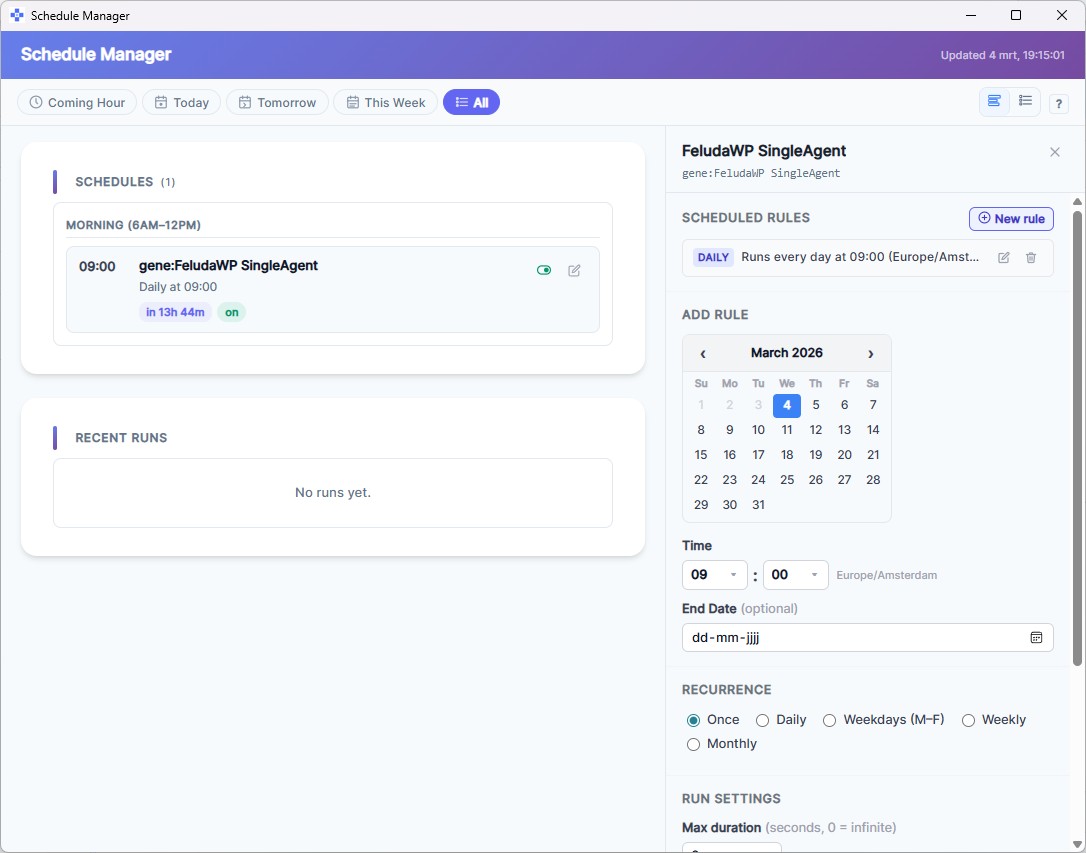
The built-in Schedule Manager runs workflows on a cadence — hourly, daily, weekly — entirely on the desktop. No cloud scheduler, no cron service, no external trigger.
No Telemetry
Feluda sends no telemetry and no usage tracking. The free version runs without any internet contact after installation. Activating a paid plan or syncing purchased Genes does require a one-time connection — for fully air-gapped paid deployments, contact us.
Deployment Steps for Air-Gapped Networks
- Download on an internet-connected machine: download Feluda, Ollama (or LM Studio), and one or more AI model files.
- Transfer via approved media: copy the installers and model files to the air-gapped machine using your organisation's approved transfer method (USB, secure disc, etc.).
- Install Feluda and the model runner: install both applications on the target machine. No internet is needed for installation.
- Load the model: import the pre-downloaded model into Ollama or LM Studio. The model is now ready for local inference.
- Connect Feluda to the local model: open Feluda's AI Providers page. Configure the local model endpoint.
- Build, test, and schedule: create workflows in Studio, test them in Workbench, and schedule them. Everything runs locally.
Use Cases in Air-Gapped Environments
Classified Document Analysis
Classify, summarise, and extract fields from documents that cannot leave the secure network. Local models process the content; Feluda chains the steps.
Internal Report Generation
Automate periodic reports from internal data sources. Scheduled workflows run the same pipeline every day — consistent, auditable, and offline.
Threat Intelligence Processing
Analyse threat feeds imported into the network. Chain research, extraction, and classification steps to triage indicators without internet access.
Compliance Screening
Screen records against internal policies. Local AI classifies entries; Expression blocks check thresholds; Output blocks flag exceptions — all without external API calls.
Frequently Asked Questions
How can organizations run AI automation in air-gapped environments?
Install Feluda and a local model runner (Ollama or LM Studio) inside the air-gapped network. Transfer pre-downloaded model files via approved media. Build and schedule workflows — everything runs offline with zero internet dependency.
Does Feluda require internet for licensing?
The free version works fully offline — no licence check, no internet. Activating a paid plan requires a sync with feluda.ai to load your licence and purchased Genes. For organisations that need paid features in fully air-gapped networks, we offer custom enterprise solutions — contact us to discuss your requirements.
Can multiple users share workflows in an air-gapped network?
Workflows are saved as local files. Users can share them via any internal file-sharing mechanism — a shared drive, a USB stick, or an internal repository. Genes (pre-built workflow packages) can also be transferred the same way.
Can I use self-hosted models instead of Ollama?
Yes. Feluda supports custom OpenAI-compatible endpoints for self-hosted models. In air-gapped networks, this is available through our enterprise solutions — contact us to set up Feluda for your infrastructure. Learn about Feluda Enterprise.
AI Automation — Even Without the Internet
Download Feluda. Deploy it inside your air-gapped network. Run AI workflows with zero internet dependency.