
Why Feluda Was Built — The Short Answer
Feluda was built because existing AI tools fail at the things that matter most: privacy, governance, auditability, and ease of use. The founders — Adrianus Warmenhoven and Reza Rafati — spent decades in cybersecurity protecting systems, data, and infrastructure. When they tried to use AI for real work, they found the same problems everywhere:
- Every AI tool sent data to a cloud server with no control over what happened to it
- There was no way to chain AI steps together without writing code
- Secrets and API keys were stored in plain text files
- Nothing was logged, nothing was auditable, nothing was reproducible
So they built something better. Feluda is a desktop application that puts you in control of every part of the AI workflow — from the models you use, to where your data goes, to how your secrets are stored. No cloud dependency, no coding required, no compromises on privacy.
The Gap in the AI Market
Before Feluda, the AI landscape looked like this: powerful models trapped behind limited interfaces and risky cloud dependencies. Here are the specific gaps Feluda was built to fill.
Every major AI tool requires you to send data to a remote server. For anyone handling sensitive, regulated, or confidential information, this is unacceptable. There was no way to process data with AI entirely on your own machine.
Want to use OpenAI for text, Anthropic for analysis, and a local model for privacy-critical tasks? You need three different websites, three workflows, and manual copy-paste between each one. Nothing connected them.
Automating anything beyond a single chat prompt required Python scripts, API libraries, JSON parsing, and error handling. Business professionals, researchers, and content teams were locked out of AI automation entirely.
API keys stored in environment variables or .env files. No encryption. No access control. One accidental commit to a repository could expose every credential in your system.
What prompt was sent? What model was used? What did the AI actually do? Most tools offered no logging, no reproducibility, and no way to review or explain AI decisions after the fact.
When an AI service hit a rate limit, timed out, or triggered a content filter, everything stopped. There was no fallback, no retry logic, and no way to route errors to an alternative provider without writing code.
The Insight — Security Principles Applied to AI
The founders did not start as AI developers. They spent their careers in cybersecurity — responding to incidents, hunting threats, advising governments, and building secure infrastructure. And they recognised something critical:
The problems with AI tools were not AI problems. They were security and governance problems — and the cybersecurity world had already solved them. Encrypted credential management, process isolation, session logging, local-first execution, typed error handling — these were standard practice in security operations. All that was needed was to apply the same principles to AI workflows.
That insight became the foundation of Feluda. Every design decision traces back to a security principle the founders enforced throughout their careers. The result is an AI platform that treats privacy, auditability, and governance as first-class features — not afterthoughts bolted on later.
The Five Principles Feluda Was Built On
These are the non-negotiable design principles that guide every feature in Feluda. They come directly from the founders' experience in cybersecurity and operational security.
Your data stays on your machine. Feluda runs on your desktop. It supports local AI models for completely offline processing. No data is ever sent to Feluda's servers unless you explicitly synchronise.
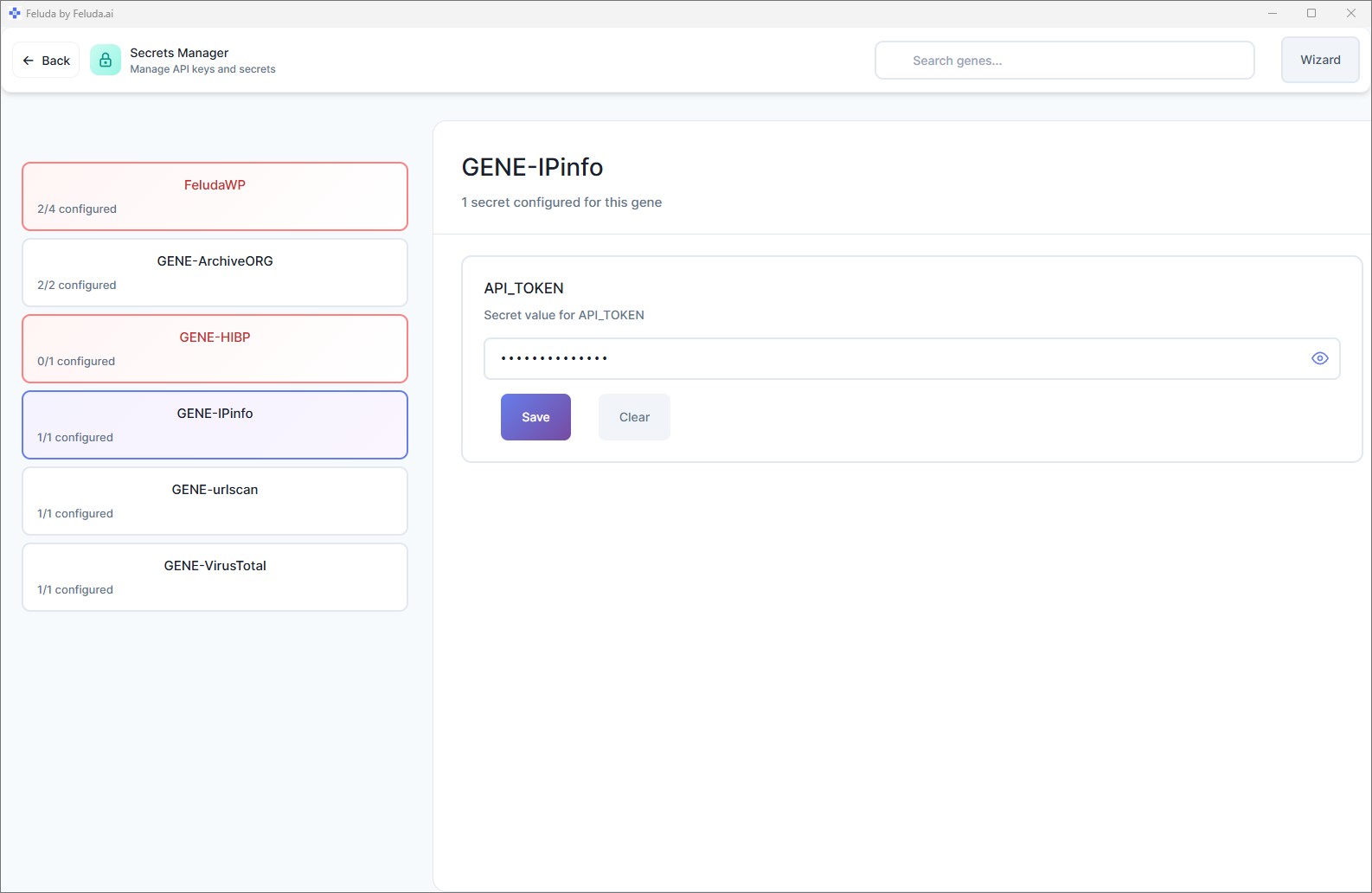
API keys and credentials are encrypted in your OS vault — Windows Credential Manager, macOS Keychain, or Linux keyring. AI models never see your secrets. Feluda injects them at runtime, securely.
Studio is a visual drag-and-drop flow builder. Anyone — regardless of technical background — can build multi-step AI workflows by placing blocks on a canvas and connecting them.
Use OpenAI, Anthropic, Mistral, Google, or local models through Ollama and LM Studio. Switch between providers with one click. Mix providers in the same workflow. You are never locked in.
Every prompt, response, tool call, and configuration change is logged. The Journal records AI activity during automated runs. Every workflow is reproducible and auditable — the same traceability security teams demand.
What Feluda Replaces
Feluda was built to replace a fragmented, insecure, manual AI experience with something unified, private, and automated.
Every AI provider, every tool, every workflow — in a single desktop application. No more switching between browser tabs, terminals, and cloud dashboards.
Build multi-step AI automations by dragging blocks onto a canvas. The output of one step flows into the next automatically. No coding, no JSON, no command line.
Your credentials are stored in your operating system's encrypted vault — not in a plain-text file sitting in a project folder.
Every AI block has typed error outputs — rate limit, timeout, content filter. Route each failure to a fallback provider, a retry, or a notification. Learn more about problems Feluda solves.
Set flows to run daily, weekly, or monthly. The Schedule Manager handles execution. The Journal stores results. You review them when you are ready.
Feluda supports Ollama and LM Studio for fully offline AI processing. Sensitive data never has to leave your machine. Zero cloud. Zero cost per token.

Who Feluda Was Built For
Feluda was not built for a single industry. It was built for anyone who needs AI automation that is private, auditable, and easy to use — without writing code.
Automate reports, classify documents, extract data from emails, and schedule AI tasks — all without involving a developer or sending sensitive data to the cloud.
Build content pipelines that generate text, social posts, classifications, and images — from a single brief, in a single flow, with one click.
Run analysis pipelines, extract structured data from documents, compare AI models side-by-side, and journal findings — all locally and reproducibly.
Automate port scanning, domain lookups, and threat assessments. Schedule reconnaissance flows. Generate reports written to the Journal — with full audit trails.
GDPR, HIPAA, data-residency requirements — Feluda's local-first architecture and encrypted credential storage make it suitable for environments where cloud AI is not an option. Learn about Feluda Enterprise.
Experiment with different models, compare providers in the Workbench, build personal assistants with real tool access, and prototype ideas visually in Studio.
Frequently Asked Questions
Why was Feluda built?
Feluda was built because the founders — two cybersecurity veterans from the Netherlands — saw that every AI tool on the market lacked privacy, governance, and auditability. They applied security-grade principles to AI automation and built a desktop application where data stays local, credentials are encrypted, workflows are visual, and every action is logged.
What gap in the market does Feluda fill?
Most AI tools are cloud-only chat windows that handle one task at a time. They cannot chain AI steps together, they store data on remote servers, and they require coding for any automation beyond basic chat. Feluda fills this gap with a desktop app that lets you build multi-step AI workflows visually, run them locally, and keep all data private.
Why is Feluda a desktop app instead of a web app?
A desktop application gives you full control over your data and credentials. Your API keys are stored in your OS encrypted vault. You can run local AI models for completely offline processing. There is no cloud server between you and your AI workflows — better privacy, lower latency, no per-execution cloud fees.
Why did cybersecurity professionals build an AI tool?
The founders spent decades in cybersecurity enforcing encrypted credential storage, session logging, process isolation, and local-first execution. They realised AI tools were missing exactly these things. So they built Feluda to make AI automation safe, private, and auditable by default.
What principles guide Feluda's design?
Five principles: (1) Privacy first — data stays on your machine, (2) Security is not optional — secrets encrypted, audit logs always on, (3) No code required — visual drag-and-drop builder, (4) Provider freedom — any AI service or local model, (5) Governance by default — every action logged and reproducible.
Is Feluda built for a specific industry?
No. Feluda is used by business professionals, content creators, researchers, security teams, and AI enthusiasts. Its privacy-first design makes it especially suitable for regulated industries, government organisations, and any team handling sensitive data.
Experience What Was Built
Download Feluda for free. Build your first private, visual AI workflow in minutes — on your own machine, under your control.