
The Cloud Problem
Every time you paste a document into ChatGPT, submit text to an AI API, or upload a file to a cloud automation service, your data travels to somebody else's server. You trust that they handle it responsibly, but you cannot verify it. For sensitive contracts, medical records, internal reports, or customer data, that trust is a risk you may not want to take.
Running AI workflows without the cloud means your data stays where it belongs — on your machine, under your control, visible only to you.
How Feluda Keeps Your Data Off the Cloud
Desktop-Native Application
Feluda is not a web app. It installs on your Windows, macOS, or Linux machine and runs entirely on your desktop. Your workflows, files, and results live on your local file system — not on a remote server.
Local AI Models
Connect Feluda to Ollama or LM Studio — both run open-source AI models directly on your hardware. No API key. No internet connection needed. No data leaves your machine. Learn more about local AI in Feluda.
Encrypted Secrets Vault
API keys and credentials are encrypted in your operating system's secure vault (macOS Keychain, Windows Credential Manager, Linux Secret Service). They never leave your machine. AI models never see them — Feluda injects them at runtime.
No Auto-Sync, No Telemetry
Feluda never uploads your data automatically. Synchronisation with your feluda.ai account only happens when you manually press the Sync button — and even then, it syncs purchased Genes, not your workflow data or results.
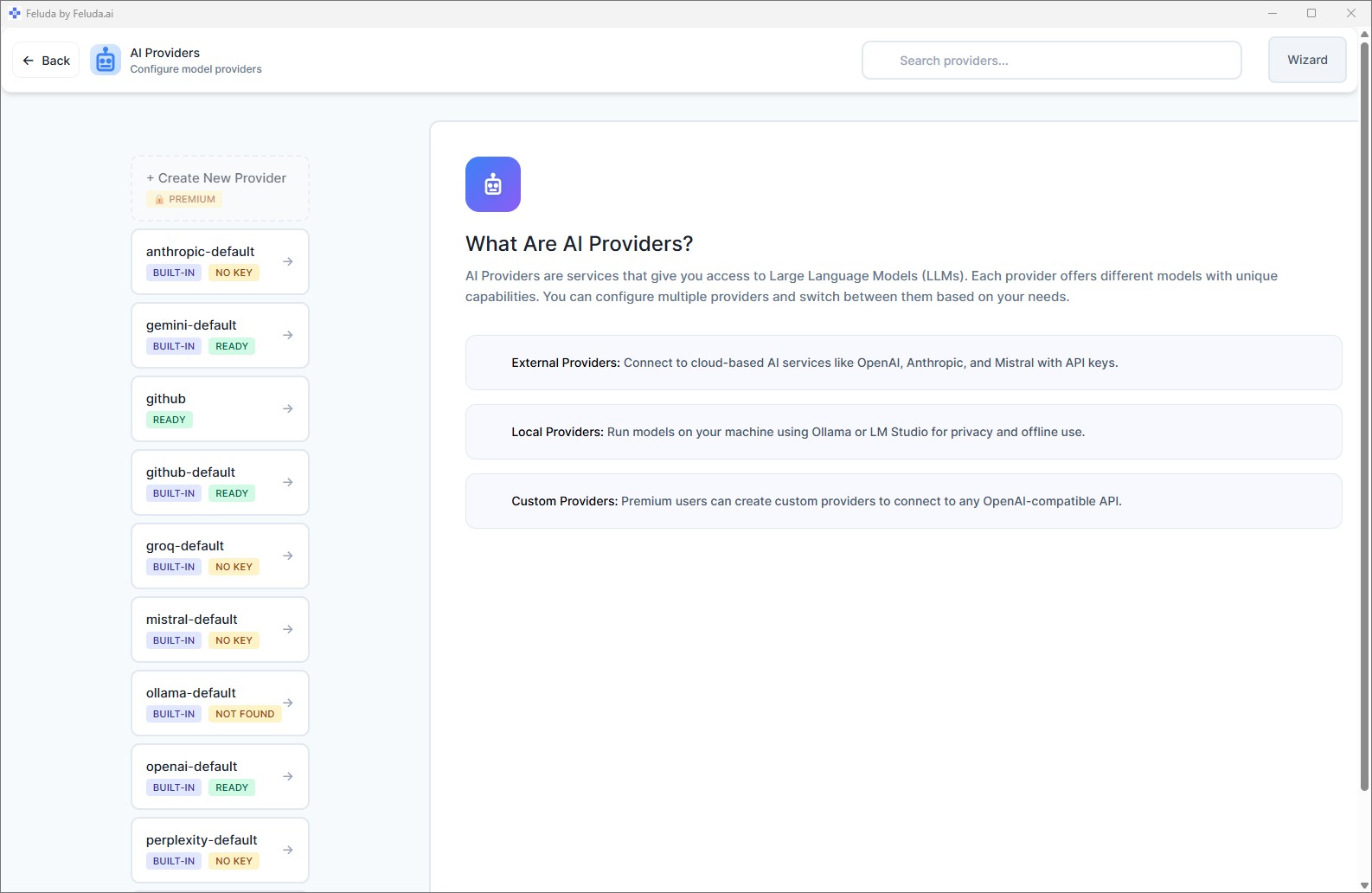
You Choose Where Data Goes
Feluda is provider-agnostic. The same workflow can run entirely locally or use a cloud API — the choice is yours, per block, per workflow:
Fully Local
Use Ollama or LM Studio for every AI block. Zero data leaves your machine. Zero API costs. Works without internet.
Selective Cloud
Use a local model for sensitive steps (PII extraction, classification) and a cloud provider for non-sensitive steps (image generation, summarisation). Mix privacy with capability.
Self-Hosted
On paid plans, connect to your own OpenAI-compatible endpoint — a model running on your team's server. Data stays within your infrastructure.
Frequently Asked Questions
How can I run AI workflows without sending data to the cloud?
Install Feluda on your desktop. Connect it to a local AI model like Ollama or LM Studio. Build your workflow in Studio and run it. Your data stays on your machine — nothing is sent to any cloud service.
Does Feluda send any data to its own servers?
No. Feluda never collects, uploads, or transmits your workflow data, results, or files. The only network activity is when you choose to use a cloud AI provider's API, or when you manually sync purchased Genes.
Can I mix local and cloud models in one workflow?
Yes. Each block in a workflow can use a different provider. Use a local model for privacy-sensitive steps and a cloud model for tasks that benefit from larger models — all in the same pipeline.
What operating systems does Feluda support?
Feluda runs on Windows, macOS, and Linux. Download it for free on any platform.
Keep Your Data Where It Belongs
Download Feluda for free. Run your AI workflows without the cloud.