
Why Automating AI Workflows Is Hard Today
You want AI to do more than answer one question at a time. You want it to classify, extract, generate, compare, and act — automatically, repeatedly, without your constant involvement. But today, building that kind of automation usually means:
Most AI automation frameworks — LangChain, CrewAI, AutoGen — require Python code, dependency management, and a terminal. If you are not a developer, the door is closed.
You copy output from ChatGPT, paste it into a spreadsheet, run it through another tool, format the result, and repeat. Every step is manual and every step is fragile.
Cloud-based AI platforms require your data to leave your machine. For sensitive business documents, customer data, or proprietary research, that is often unacceptable.
If an API call fails, a rate limit hits, or a model returns unexpected output, most setups simply crash. There is no built-in way to recover, retry, or route around the failure.
These problems have a common root: the tools available today assume you are a programmer. Feluda does not.
Automate AI Workflows Visually with Feluda
Feluda is a desktop application that lets you automate AI workflows without code. Instead of writing scripts, you build workflows visually in a tool called Studio — a drag-and-drop canvas where every AI step is a block, and every connection defines how data flows.
You do not need Python. You do not need a terminal. You do not need to install any framework. Feluda is a standalone application for Windows, macOS, and Linux. Download it, open it, and start building.
Four Steps to Your First Automated AI Workflow
Connect a Provider
Add an API key for OpenAI, Anthropic, or Mistral — or point Feluda at a local model running on your machine. No account with Feluda is needed for the free plan.
Place Blocks on the Canvas
Open Studio and drag blocks onto the canvas. Each block is a step: an AI reasoning step, a classification step, a data extraction step, an image generation step, or a logic step.
Draw Connections
Connect blocks with lines to define the data flow. You can branch, merge, and route data based on classification results or error types — all visually.
Run or Schedule
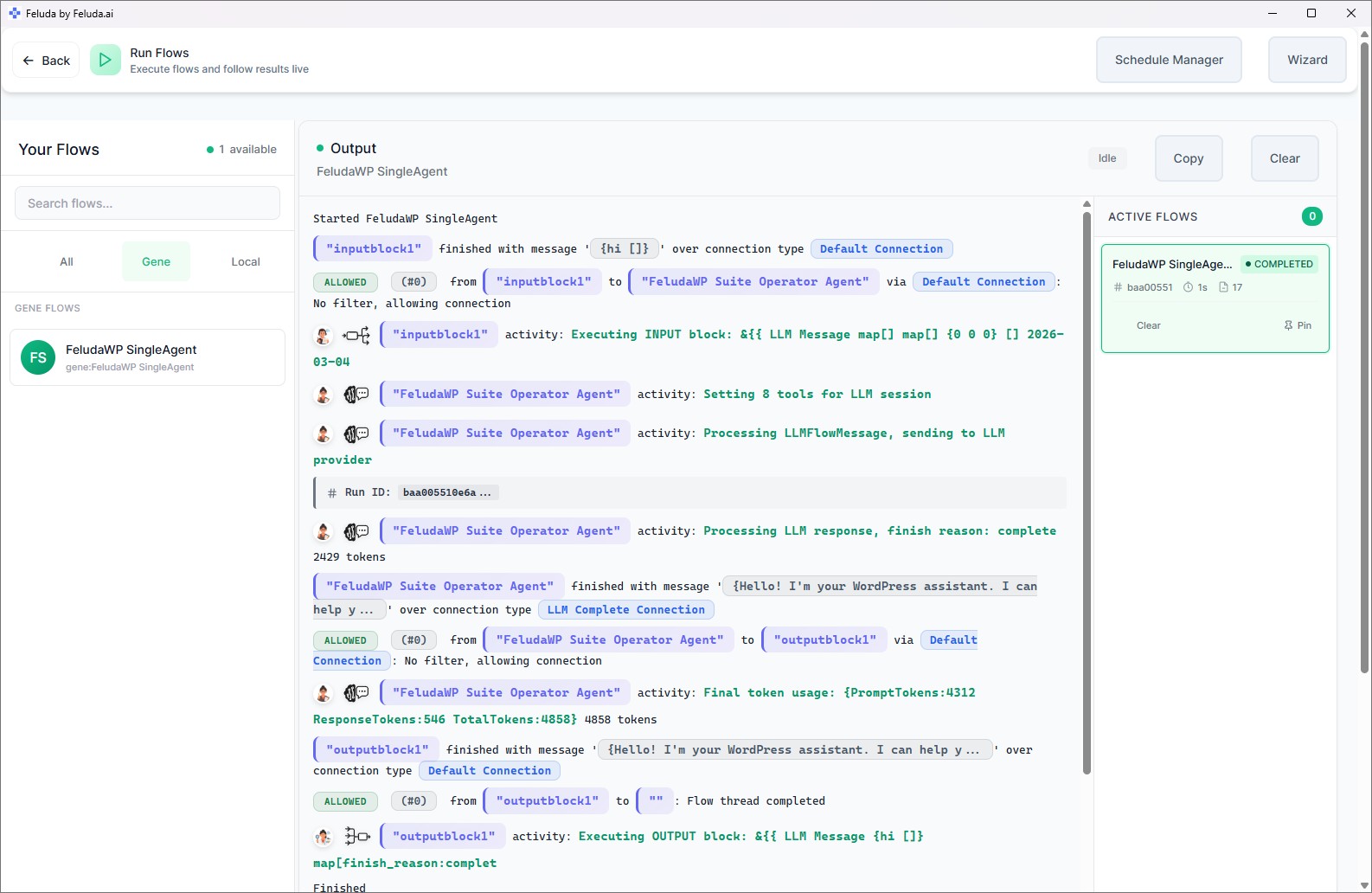
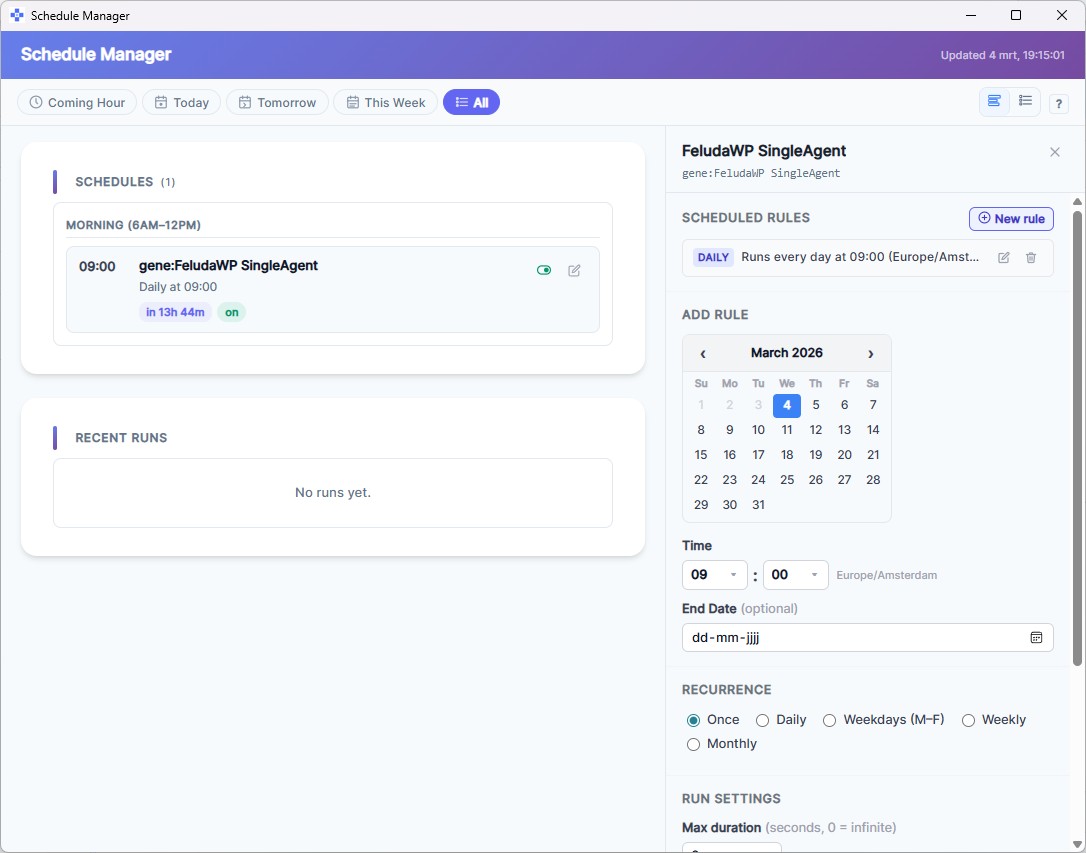
Click run to execute immediately, or open the Schedule Manager to automate it. Your workflow can run daily, weekly, hourly — or on a specific date — without any manual input.

The Building Blocks of a No-Code AI Workflow
Every workflow in Feluda is assembled from a small set of powerful blocks. Each block does one thing well, and combining them creates complex, multi-step automations.
LLM Block — AI Reasoning
The core AI step. It sends data to a language model (GPT-4, Claude, Mistral, or a local model), processes the response, and passes it on. You configure the model, write system instructions, and select which tools the AI is allowed to use.
LLM Label — Classification & Routing
Classifies incoming data into categories you define — "billing," "support," "urgent" — and routes each category to a different path in the workflow. The AI reads the content and decides where it goes.
LLM Extract — Structured Data Extraction
Pulls structured information from unstructured text. Define schemas like "Person" (name, role, company) or "Invoice" (amount, date, vendor), and the AI fills them in automatically.
Expression Block — Logic Without AI
For steps that do not need AI — conditional routing, text manipulation, PII detection and redaction, or calling external services directly. Deterministic, fast, and predictable.
Generate Image — AI Image Creation
Creates images from text descriptions using models like DALL-E. Useful for automated content pipelines where every piece needs an accompanying visual.
Error Routing — Built-In Resilience
Every AI block exposes typed error connections: rate limit, timeout, content filter, tool failure. Route each error to a fallback — a different provider, a retry, or a human review step.
What Makes This Different from Other No-Code AI Tools
Several platforms claim to offer no-code AI automation. Here is what sets Feluda apart.
Runs on Your Desktop
Feluda is not a cloud platform. It runs on your computer. Your data stays with you. You can even use local AI models for complete offline operation — no internet, no API fees, no data leaving your machine.
Provider-Agnostic
Use OpenAI, Anthropic, Mistral, Google, or local models through Ollama and LM Studio. Mix different providers in the same workflow — a fast model for classification, a powerful model for reasoning.
Real Tool Use via MCP
Your AI blocks can call real tools during execution — web search, file access, database queries, port scanning — through a standard called Model Context Protocol. You control exactly which tools are allowed and what they can access.
No Dependencies to Install
No Python. No Node.js. No Docker. No package managers. Feluda is a single application you download and run. Everything you need is included.
Real-World AI Workflows You Can Build Without Code
These are not hypothetical. Each scenario maps directly to blocks and connections in Feluda Studio.
Classify and Route Customer Emails
Input block receives the email. An LLM Label block classifies it as "billing," "technical," or "general." Each label routes to a different output. Schedule it to run every 15 minutes. Zero manual sorting.
Extract Structured Data from Contracts
Feed a contract into an LLM Extract block with schemas for "Party" (name, role), "Date" (effective, expiration), and "Amount" (value, currency). Structured data comes out the other side — ready for a spreadsheet.
Generate a Daily Report Every Morning
An LLM block summarises yesterday's data. The result is written to the Journal using a tool call. The Schedule Manager runs it at 7 AM every weekday. A fresh report waits for you when you open Feluda.
Content Pipeline: Blog, Social, and Image in One Run
An input brief flows through an LLM block for the blog draft, another for social media posts, a classification block for tone analysis, and a Generate Image block. One click produces a complete content package.
Compare Three AI Providers on the Same Task
The same input feeds into three parallel LLM blocks — each using a different provider. Compare quality, speed, and tone side by side to make informed decisions about which model to standardise on.
Detect and Redact Personal Information
An Expression block with built-in PII detection scans documents for names, emails, credit card numbers, phone numbers, and more. Redact, mask, or hash the findings — before the data reaches any AI model.
Skip the Building — Install a Ready-Made Workflow
If you do not want to build a workflow from scratch, you do not have to. Feluda's Gene system lets you install pre-packaged bundles of tools, prompts, and ready-made workflows. A Gene (short for "capability package") gives you everything you need for a specific task — install it, fill in any required credentials, and run it immediately.
Browse available Genes in the Gene Store, or learn more about how Genes work.
Frequently Asked Questions
Can I really automate AI workflows without writing any code?
Yes. Feluda Studio is a fully visual drag-and-drop canvas. You place blocks, draw connections, configure each step through forms, and click run. No scripting, no terminal, no programming language involved.
What kinds of AI workflows can I automate?
Classification, structured data extraction, content generation, image creation, multi-model comparison, error-resilient pipelines, scheduled reporting, PII detection — and any combination of these in a single flow.
Do I need to install Python or any framework?
No. Feluda is a standalone desktop application. Download it for Windows, macOS, or Linux — no Python, no Node.js, no Docker, no dependencies.
Can AI blocks use real tools like web search or file access?
Yes. Feluda supports real tool use through the Model Context Protocol (MCP). You select which tools each AI block can access, and set fine-grained permissions for URLs, file paths, IPs, and ports.
Is Feluda free to use?
Yes. The free plan includes Studio, Workbench, RunFlows, Journal, and the built-in MCP server. Paid plans unlock scheduling, custom AI providers, custom MCP servers, and higher tool-per-session limits.
Start Automating — No Code Required
Download Feluda for free and build your first AI workflow in minutes. Drag, connect, run.