
Who Should Use Feluda — The Quick Answer
Anyone who wants to use AI for real work — without coding, without cloud risk, and without switching between a dozen tools. Feluda is a desktop application that lets you build, run, and schedule multi-step AI workflows visually. It is designed for people who care about privacy, simplicity, and control.
You do not need a technical background. You do not need to know how to code. If you can use a desktop application, you can use Feluda. Here is a closer look at who benefits most.
Business Professionals
You already use AI — pasting data into ChatGPT, copying the output into a spreadsheet, switching to another tool for a second opinion, then formatting it all for a stakeholder. Feluda replaces that entire cycle with a single visual workflow you build once and reuse forever.
Common use cases: email triage and classification, daily report generation, data extraction from documents, meeting-summary formatting, and invoice processing. Build the flow in Studio, schedule it with the Schedule Manager, and review results in the Journal.
Why Feluda, not a cloud tool? Your business data stays on your machine. API keys are encrypted in your OS vault. You can run flows on a schedule without paying per-execution cloud fees. And you do not need IT support to set it up.
Content Creators and Marketing Teams
Content production involves many AI steps: draft a blog post, generate social media posts, classify the tone, create a featured image. Today, that means switching between tools and copying output back and forth. In Feluda, you connect all those steps into one pipeline.
Common use cases: blog-to-social content pipelines, tone and style classification, image generation from text briefs, translation workflows, and SEO-optimised content generation. One input brief produces a complete content package in a single execution.
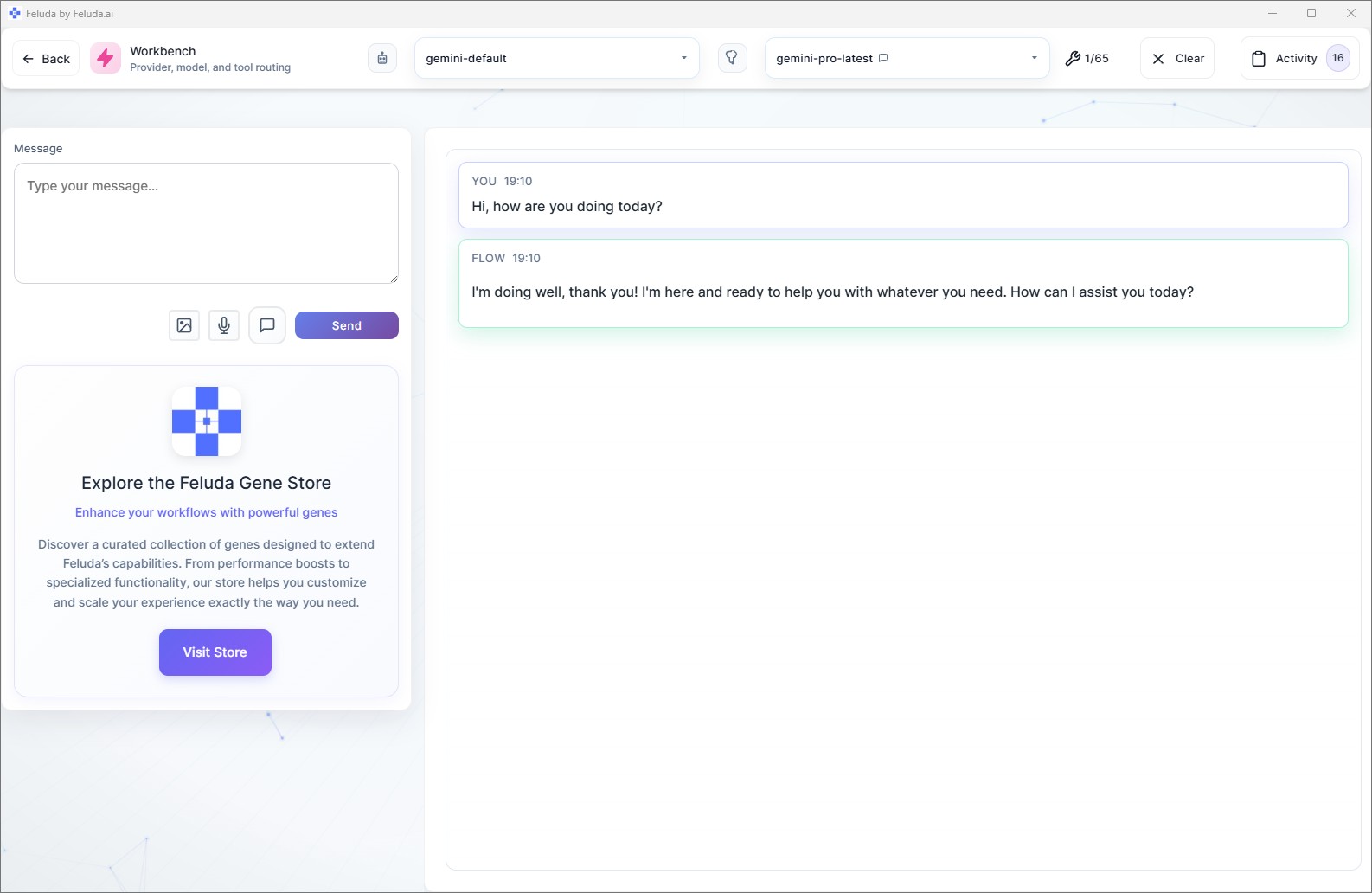
Why Feluda? You build the pipeline once and run it for every project. Compare outputs from different AI providers side-by-side in the Workbench. No coding, no copy-paste, no per-execution fees for local models.

Researchers and Academics
Research demands reproducibility. If you run an analysis today, you need to be able to explain exactly what model was used, what prompt was sent, and what data went in. Most AI tools offer none of this. Feluda logs every prompt, response, tool call, and configuration change automatically.
Common use cases: structured data extraction from unstructured reports, multi-provider model comparison (quality, speed, cost), literature classification and labelling, PII detection and redaction before sharing datasets, and automated journal entries during scheduled analysis runs.
Why Feluda? Full audit trail for every AI interaction. Local AI models mean sensitive research data never leaves your machine. The free plan gives you full access to Studio, Workbench, and RunFlows — enough to run serious analysis pipelines at zero cost.
Security and IT Teams
Feluda was built by cybersecurity veterans. It includes tools for port scanning, domain lookups, and network reconnaissance — combined with AI that interprets results and writes human-readable reports. Schedule these flows to run weekly and review findings in the Journal.
Common use cases: automated infrastructure scanning on a weekly cadence, domain intelligence and WHOIS lookups, threat-assessment report generation, vulnerability summary pipelines, and PII detection across internal documents.
Why Feluda? Every action is logged. Secrets are encrypted in your OS vault — the AI never sees them. Flows handle errors gracefully with typed error outputs (rate limit, timeout, content filter). And you can run everything offline with local models when cloud access is not appropriate.
Developers and Technical Teams
Developers get the visual builder like everyone else — but they also get Feluda's built-in MCP server (Model Context Protocol). This connects Feluda to your IDE — VS Code, Cursor, and any MCP-compatible editor — so your AI coding assistant can use Feluda's tools, prompts, and workflows directly from your development environment.
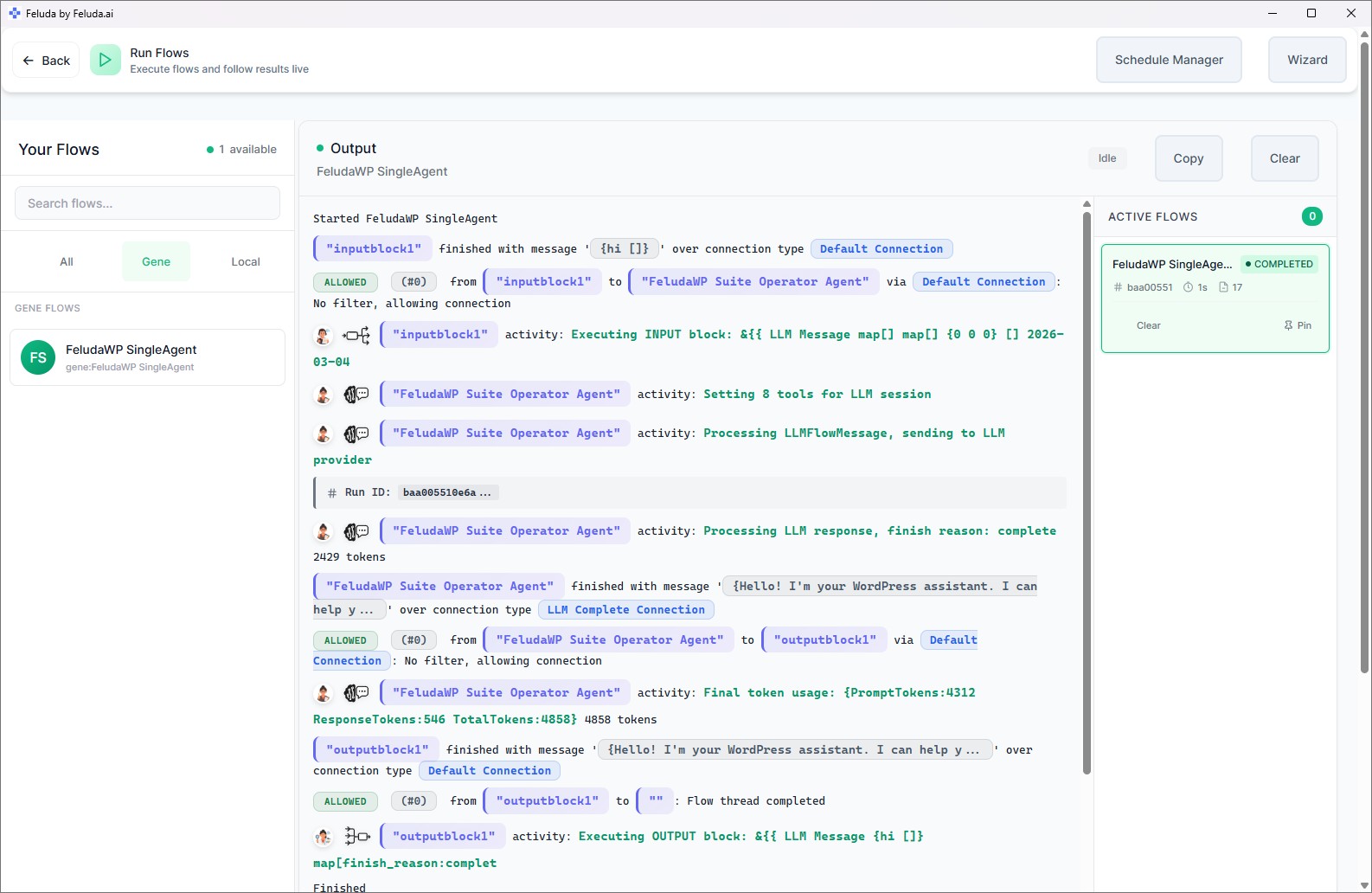
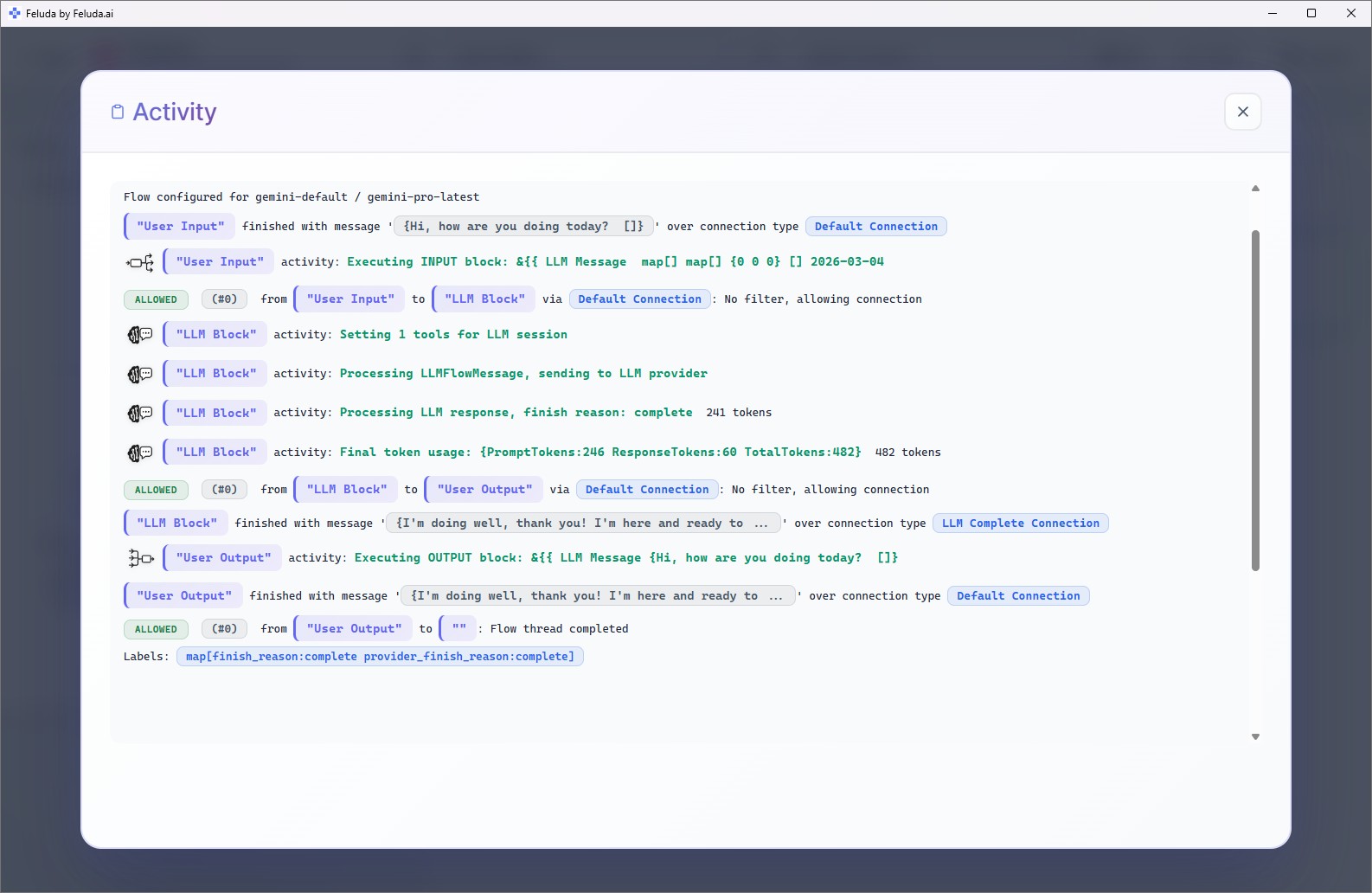
Common use cases: rapid AI workflow prototyping without writing API glue code, MCP server for IDE integration, building and testing custom Genes (automation packages), comparing model performance across providers, and debugging AI pipelines with the Activity log.
Why Feluda? Skip the boilerplate. Prototype AI workflows visually in Studio, test them in the Workbench, then use them from your IDE via MCP. API keys are managed securely — no .env files. Visit the Developers Hub for integration details.
Enterprise and Regulated Organisations
When your organisation handles regulated, classified, or personally identifiable data, cloud-only AI tools are off the table. Feluda runs on your desktop. It supports fully local AI models. Secrets are encrypted in your OS vault. And every prompt, response, and tool call is logged automatically — providing the audit trail compliance teams need.
Common use cases: GDPR-compliant document processing, PII detection and redaction before external sharing, auditable AI decision pipelines, organisation-wide deployment of standardised Genes, and secure multi-provider orchestration without data leaving the network.
Why Feluda? Feluda Enterprise offers centralised management, shared Genes across teams, and enterprise-grade governance. The desktop-first architecture means data stays where your compliance framework says it should. Read the Threat Intelligence case study for a real-world example.
AI Enthusiasts and Hobbyists
You want to experiment with AI — test different models, build personal assistants, compare how OpenAI and Anthropic handle the same prompt, or see what a local model can do on your own hardware. Feluda makes all of this possible without writing a single line of code.
Common use cases: comparing AI model outputs in the Workbench, building personal AI assistants with real tool access (web search, file operations, journal writing), prototyping workflow ideas visually, and exploring local AI models through Ollama or LM Studio.
Why Feluda? The free plan gives you full access to Studio, Workbench, RunFlows, the Journal, and the built-in MCP server. Local models run at zero cost. You can explore, learn, and build — at your own pace, on your own machine.
Is Feluda Right for You? A Quick Check
If any of these describe you, Feluda was built with you in mind.
You copy-paste between ChatGPT, documents, and tools. Feluda connects those steps into automated pipelines.
Your data is sensitive. Feluda runs on your desktop and supports local AI models for fully offline processing.
Feluda Studio is a visual drag-and-drop builder. Place blocks, draw connections, click Run. That is the whole process.
Daily reports, weekly scans, monthly summaries. The Schedule Manager runs flows automatically and logs results to the Journal.
Compliance, reproducibility, or just peace of mind. Feluda logs every prompt, response, and tool call automatically.
OpenAI, Anthropic, Mistral, Google, local models — all in one app. Switch providers with one click. Mix them in the same workflow.
Which Plan Fits Your Needs?
| If you are… | Start with | You get |
|---|---|---|
| An individual exploring AI | Free | Studio, Workbench, RunFlows, Journal, MCP server, up to 3 tools per session |
| A professional automating daily tasks | Explorer | Everything in Free + custom providers, custom MCP servers, scheduling, 40 tools per session |
| A creator or team with complex pipelines | Creator | Everything in Explorer + 120 tools per session, professional Gene packages |
| An enterprise with governance needs | Visionary | Unlimited tools, maximum power, full control over every feature |
See full plan details on the Pricing page.
Frequently Asked Questions
Who should use Feluda?
Anyone who wants to automate AI workflows without coding. Business professionals, content creators, researchers, security teams, developers, and AI enthusiasts all use Feluda. Its privacy-first design makes it especially suitable for regulated industries and anyone handling sensitive data.
Is Feluda for non-technical users?
Yes. Feluda Studio is a visual drag-and-drop workflow builder. You place blocks on a canvas and connect them — no programming, scripting, or command-line knowledge required. Anyone who can use a desktop application can build AI workflows in Feluda.
Can developers use Feluda?
Yes. Developers benefit from the built-in MCP server (Model Context Protocol) that connects to IDEs like VS Code and Cursor. They can build custom tools, create Genes (automation packages), and use Feluda's visual builder for rapid AI prototyping.
Is Feluda suitable for enterprise teams?
Yes. Feluda Enterprise offers organisation-wide deployment, shared Gene packages, centralised provider management, and compliance features. The desktop-first architecture keeps data off third-party servers, meeting GDPR, HIPAA, and data-residency requirements.
Can I use Feluda for cybersecurity tasks?
Yes. Feluda was created by cybersecurity veterans and includes tools for port scanning, domain lookups, and security assessments. Security teams schedule reconnaissance flows and generate AI-written reports in the Journal, all with full audit trails.
Is Feluda free for individual users?
Yes. The free plan includes Studio, Workbench, RunFlows, the Journal, and the built-in MCP server with up to 3 tools per session. Paid plans unlock more tools, custom providers, scheduling, and custom MCP servers.
Can students and researchers use Feluda?
Yes. Researchers use Feluda to run analysis pipelines, extract structured data, compare AI models, and journal findings. The free plan provides full access to the visual builder and AI chat. Local AI models can be used at zero cost.
Ready to Get Started?
Download Feluda for free and see what it can do for your work — visually, privately, on your own machine.