
The Problem with Single-Provider AI Workflows
Most AI tools lock you into one provider. ChatGPT uses OpenAI. Claude.ai uses Anthropic. If you want to use a fast model for classification and a powerful model for detailed reasoning — or compare how two providers handle the same task — you are stuck switching between browser tabs and manually copying output from one to the other.
Feluda takes a fundamentally different approach. Every AI block in your workflow has its own provider and model setting. You can connect multiple AI models in a single pipeline, each doing what it does best, all coordinated visually on one canvas.
Supported AI Providers
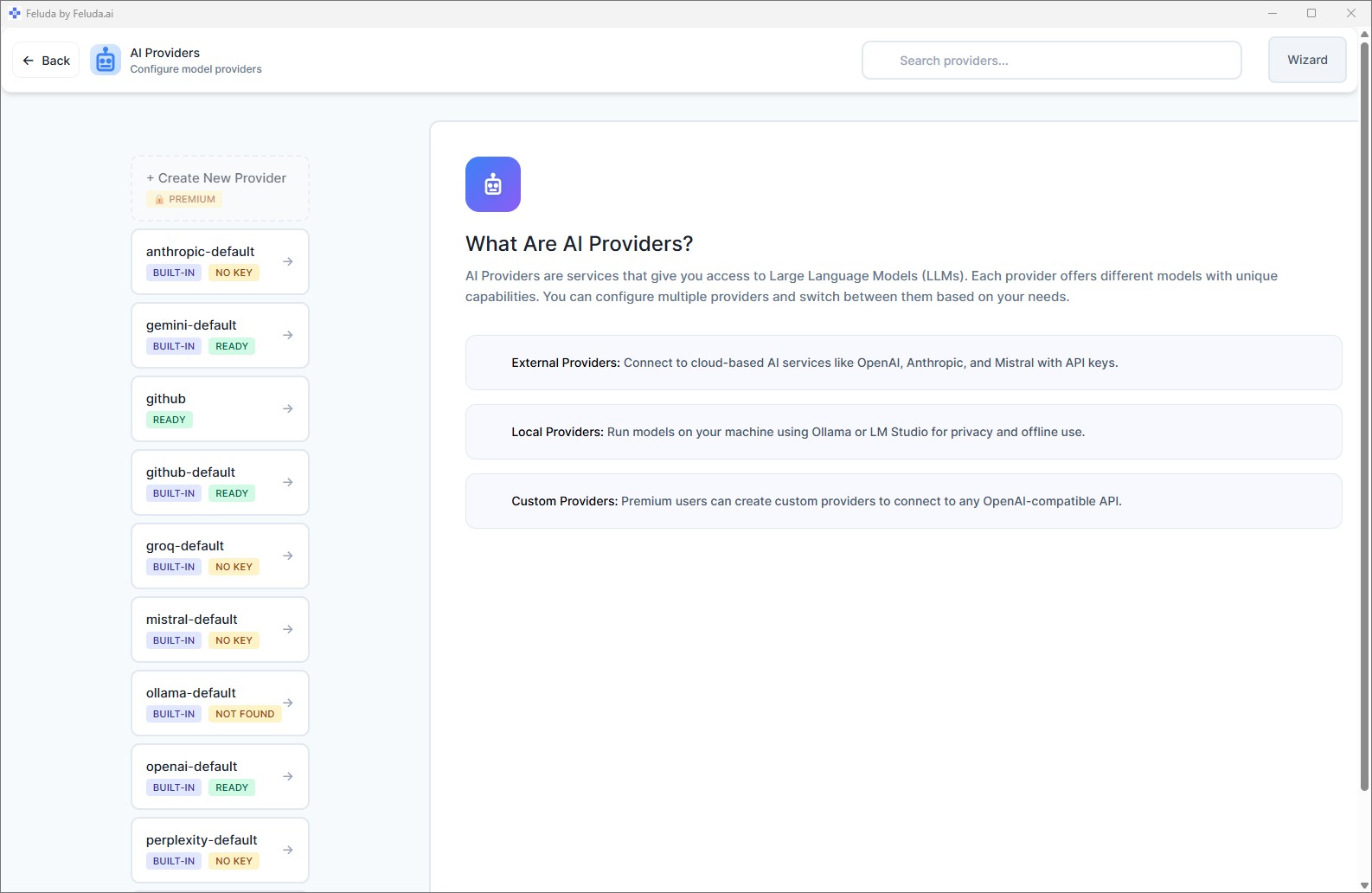
Feluda connects to all major AI providers out of the box — and lets you add custom ones on paid plans.
OpenAI
GPT-4, GPT-4o, o1, o3, DALL-E, Whisper. The models behind ChatGPT — now usable inside multi-step pipelines with tool access, error routing, and scheduling.
Anthropic
Claude 3, Claude Sonnet, Claude Opus. Known for strong reasoning and long-context handling. Use it for analysis-heavy steps in your pipeline.
Mistral
Mistral and Mixtral models. European AI with strong multilingual capabilities and competitive pricing.
Local Models
Ollama and LM Studio let you run models entirely on your machine. Zero API cost. Complete privacy. No internet needed.
How to Connect Multiple AI Models in One Workflow
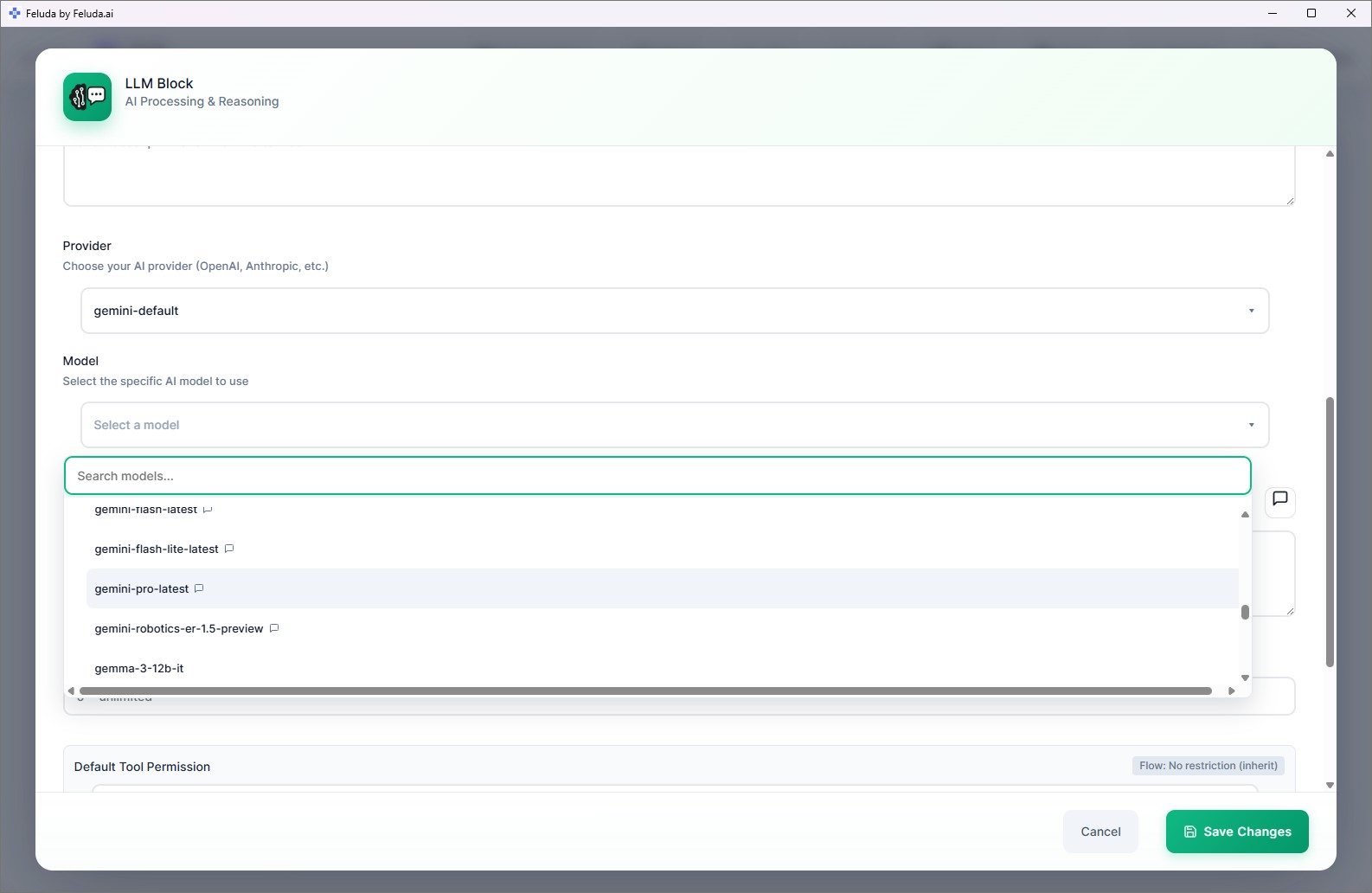
In Feluda Studio, every LLM block has a provider and model selector. Here is how you use that to build multi-model pipelines:
Sequential: Different Models for Different Steps
Route data through a chain of AI blocks. The first block uses a fast model (like GPT-4o-mini) for initial classification. The second block uses a powerful model (like Claude Opus) for deep analysis on the classified results. Each model does what it excels at.
Parallel: Compare Models Side by Side
Send the same input to three AI blocks simultaneously — one using OpenAI, one using Anthropic, one using a local model. Compare the outputs in real time to decide which model works best for your use case.
Failover: Automatic Provider Switching
Connect an AI block's "Rate Limit" error output to a second AI block using a different provider. If OpenAI returns a rate limit error, the workflow automatically switches to Anthropic — no interruption, no manual intervention, no code.
Real Scenarios: Multi-Model Pipelines in Practice
Content Quality Pipeline
GPT-4o drafts the content. Claude reviews it for accuracy and tone. A local model performs a final PII check before publishing. Three models, one automated pipeline.
Cost-Optimised Classification
Use a small, fast, cheap model to classify incoming data. Only send items labelled "complex" to a large, expensive model for detailed processing. Save money without sacrificing quality.
Privacy-Sensitive Analysis
Sensitive steps (PII detection, credential scanning) run on a local model — data never leaves your machine. Non-sensitive steps use a cloud provider for speed and capability.
Model Evaluation
Testing which provider handles your specific task best? Run the same input through three parallel blocks and compare quality, speed, and cost in the Workbench.
Frequently Asked Questions
How can I connect multiple AI models in a single workflow?
In Feluda Studio, every AI block has its own provider and model selector. Place multiple AI blocks on the canvas, set each to a different provider, and connect them. Data flows through each model in sequence, in parallel, or as a failover — whatever your pipeline needs.
Which AI providers does Feluda support?
OpenAI (GPT-4, GPT-4o, DALL-E, Whisper), Anthropic (Claude 3, Sonnet, Opus), Mistral, and local models via Ollama and LM Studio. Paid plans also support custom OpenAI-compatible endpoints.
Can I compare different AI models on the same task?
Yes. Send the same input to multiple AI blocks running different models in parallel. Compare outputs side by side. Or use the Workbench to test the same prompt across providers interactively.
Can one model fall back to another if it fails?
Yes. Every AI block exposes typed error connections (rate limit, timeout, content filter). Route any error to a backup block using a different provider for automatic failover — no code needed.
Break Free from Single-Provider Lock-In
Download Feluda. Connect your providers. Build multi-model pipelines in minutes.