
The Gap Between a Good Prompt and a Reliable Process
You have spent time crafting the perfect AI prompt. It classifies data accurately, extracts the right fields, or generates content in the right tone. But every time you use it, you open a chat window, paste the prompt, paste the data, wait for the result, copy it out, and repeat.
A good prompt is not a process. A process runs without you. A process handles errors. A process gives you the same quality every time. Feluda bridges that gap — it takes the prompts you already have and embeds them inside automated, visual workflows that run on your desktop.
Before and After: Prompt vs Process
Before — Manual Prompting
- Open ChatGPT or Claude.ai in a browser
- Paste your carefully crafted prompt
- Paste the data you want processed
- Wait for the response
- Copy the output into a document or spreadsheet
- Repeat for the next item
- If the AI fails, start over
- No record of what happened or why
After — Feluda Workflow
- Your prompt is a permanent system instruction inside an AI block
- Data enters through an Input block
- Multiple AI steps run in sequence automatically
- Results are delivered to Output blocks — or the AI writes them to a journal
- Errors route to fallback paths — no crashes
- The workflow is saved and reusable
- Schedule it to run daily, weekly, or hourly
- Every run is logged and auditable
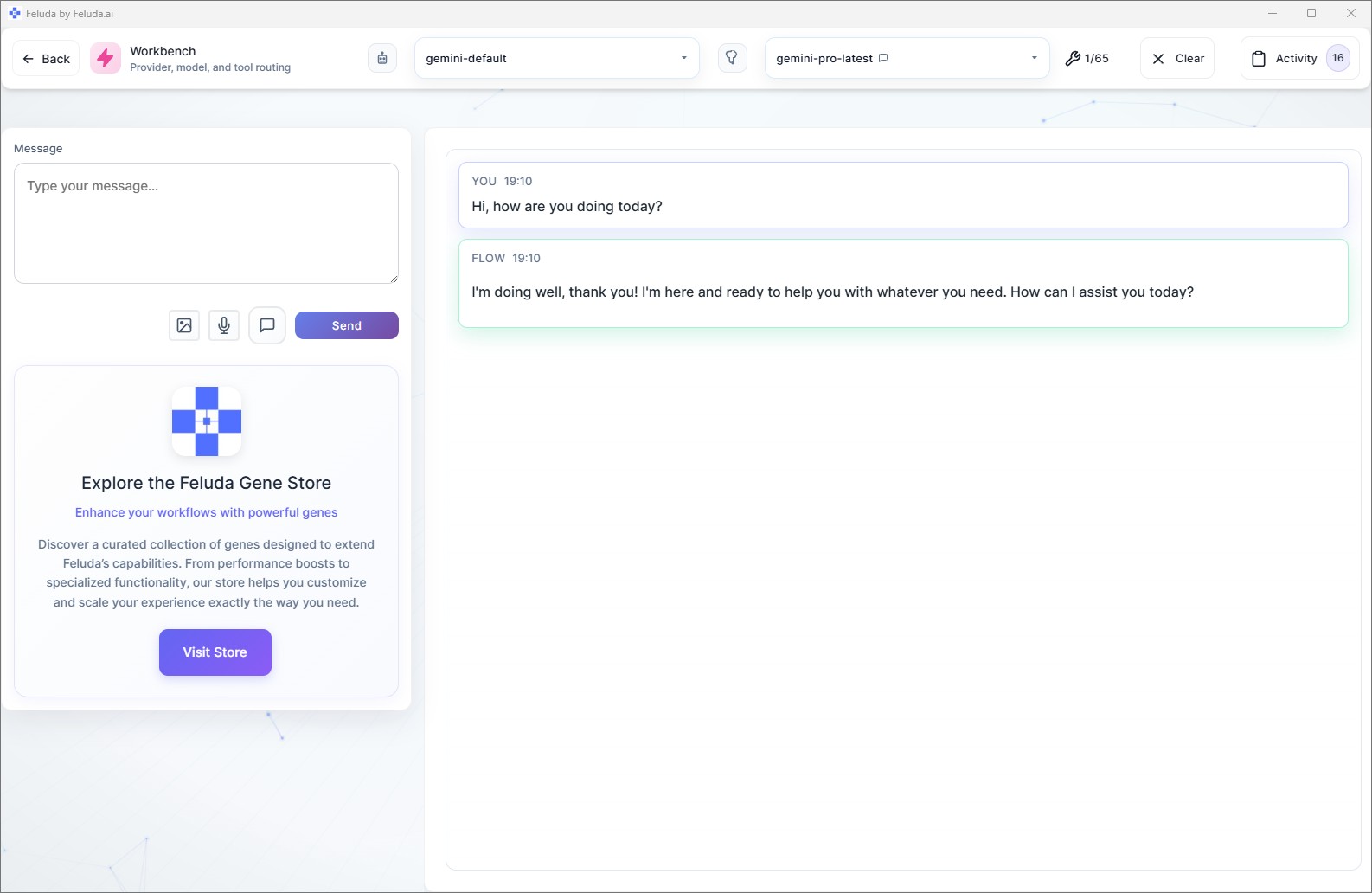
How to Turn Your Prompts Into Automated Processes
1. Test in the Workbench
Open the Workbench and test your AI prompt interactively. Choose your provider (OpenAI, Anthropic, Mistral, or local model), enable tools, and iterate until the prompt produces reliable results.
2. Build the Workflow in Studio
Open Studio and place an LLM block on the canvas. Paste your tested prompt into the system message field. Add an Input block before it and an Output block after it. Your prompt is now a workflow step.
3. Add More Steps
Chain additional blocks: classify the output, extract structured data, generate images, apply logic, or run another AI step with a different model. Each step makes the process more powerful than a single prompt could ever be.
4. Save and Schedule
Save the workflow. Run it whenever you need it. Or open the Schedule Manager and set it to run automatically — daily at 7 AM, every hour, every Monday morning. Your prompt is now a fully automated process.
What You Gain by Turning Prompts Into Processes
Consistency
The same system instruction runs every time. No re-typing, no slight wording changes that produce different results. Your output quality stays uniform across hundreds of runs.
Error Recovery
Prompts in a chat window fail silently. Feluda workflows expose typed error connections — rate limits, timeouts, content filters — so you can route failures to backup models or retry paths.
Tool Access
A prompt in ChatGPT can only generate text. A prompt inside a Feluda workflow can call real tools — search the web, read files, keep a journal, scan ports — through the MCP server.
Scheduling
A prompt requires you to be present. A process runs on its own. The Schedule Manager automates your workflow on any cadence you choose — hands-free.
Frequently Asked Questions
How can I turn AI prompts into reliable automated processes?
Paste your prompt into the system message field of an LLM block in Feluda Studio. Add Input and Output blocks. Save the workflow. It now runs consistently every time you execute it — and you can schedule it to run automatically.
Can I use my existing ChatGPT prompts?
Yes. Any prompt you currently use in ChatGPT, Claude, or any other chat tool can be pasted directly into an LLM block's system message. Your prompt becomes a permanent, reusable step in an automated workflow.
Why are manual prompts unreliable for repeated tasks?
Manual prompting introduces variability — slight wording differences produce different outputs. There is no error handling, no scheduling, and no audit trail. Turning prompts into workflow steps solves all of these problems.
Can my automated process do more than the original prompt?
Yes. Once your prompt is inside a workflow, you can chain it with classification, data extraction, image generation, tool use, conditional logic, and error handling — capabilities no chat prompt can offer.
Your Prompts Deserve to Become Processes
Download Feluda for free. Turn your best AI prompts into automated workflows that run themselves.