
The Short Answer — Both
Feluda is an AI agent platform and an automation platform. These are not competing descriptions — they describe two complementary capabilities that work together inside the same tool.
Understanding the difference helps you choose the right approach for each task. Some tasks are best handled by a structured automation flow that follows a defined sequence of steps. Others are better handled by an AI agent that reasons step-by-step, calls tools, and adapts based on what it finds. Feluda supports both.
Automation Flow vs. AI Agent — What Is the Difference?
Automation Workflow
A fixed sequence of steps you design in advance. Data enters at the start, passes through each block in order, and results come out at the end. The path is determined by how you draw the connections.
- Predictable and reproducible
- You control every step explicitly
- Ideal for structured, repeatable tasks
- Steps do not adapt at runtime
- Uses LLM, Label, Extract, Image, Expression, and Emit blocks
AI Agent
An AI model given a goal and a set of tools. The agent reasons about the task, decides which tools to call, inspects results, and continues — autonomously — until the task is complete. The path is determined by the AI's own reasoning.
- Flexible and adaptive at runtime
- AI decides what to do next
- Ideal for open-ended, multi-step tasks
- Uses tools: web search, file access, port scan, journal writing, and more
- You define the tools, boundaries, and goal
In Feluda, agents run inside automation flows. A flow controls the overall structure — routing inputs, handling errors, chaining results. An agent operates as an LLM block within that flow — given tools, it reasons autonomously to complete its assigned step. The automation provides structure and predictability; the agent provides intelligence and flexibility.
Feluda as an Automation Platform
In its automation role, Feluda is a visual, no-code workflow builder. You design pipelines by placing blocks on a canvas in Studio and drawing connections between them. Each block is a step: receiving input, calling AI, classifying, extracting, generating images, applying logic, or emitting output.
What makes it an automation platform
Design workflows by placing blocks on a canvas and connecting them. No code, no script, no terminal. Anyone can build production pipelines.
The output of one block becomes the input of the next automatically. Build pipelines of any depth — text generation into classification into image generation into output.
Each AI block has typed error outputs: rate limit, timeout, content filter, tool call failure. Route each error type to a fallback, retry, or notification path — without writing code.
Set any flow to run on a cadence — daily, weekly, monthly. Results are written to the Journal. Your automations run hands-free on a schedule.
Save a flow and run it again any time. Bundle flows into Genes — pre-packaged automation modules that can be shared across your team or published in the Gene store.
Each LLM block can use a different AI provider. Mix OpenAI, Anthropic, Mistral, or a local model in the same flow. Switch providers by changing a dropdown.

Feluda as an AI Agent Platform
In its agent role, Feluda gives AI models real tools to call. Instead of only generating text, an AI agent in Feluda can search the web, write to a journal, scan network ports, look up domain information, read and write files, and call tools from any installed Gene. You give the agent a goal; it figures out the steps.
How AI agents work in Feluda
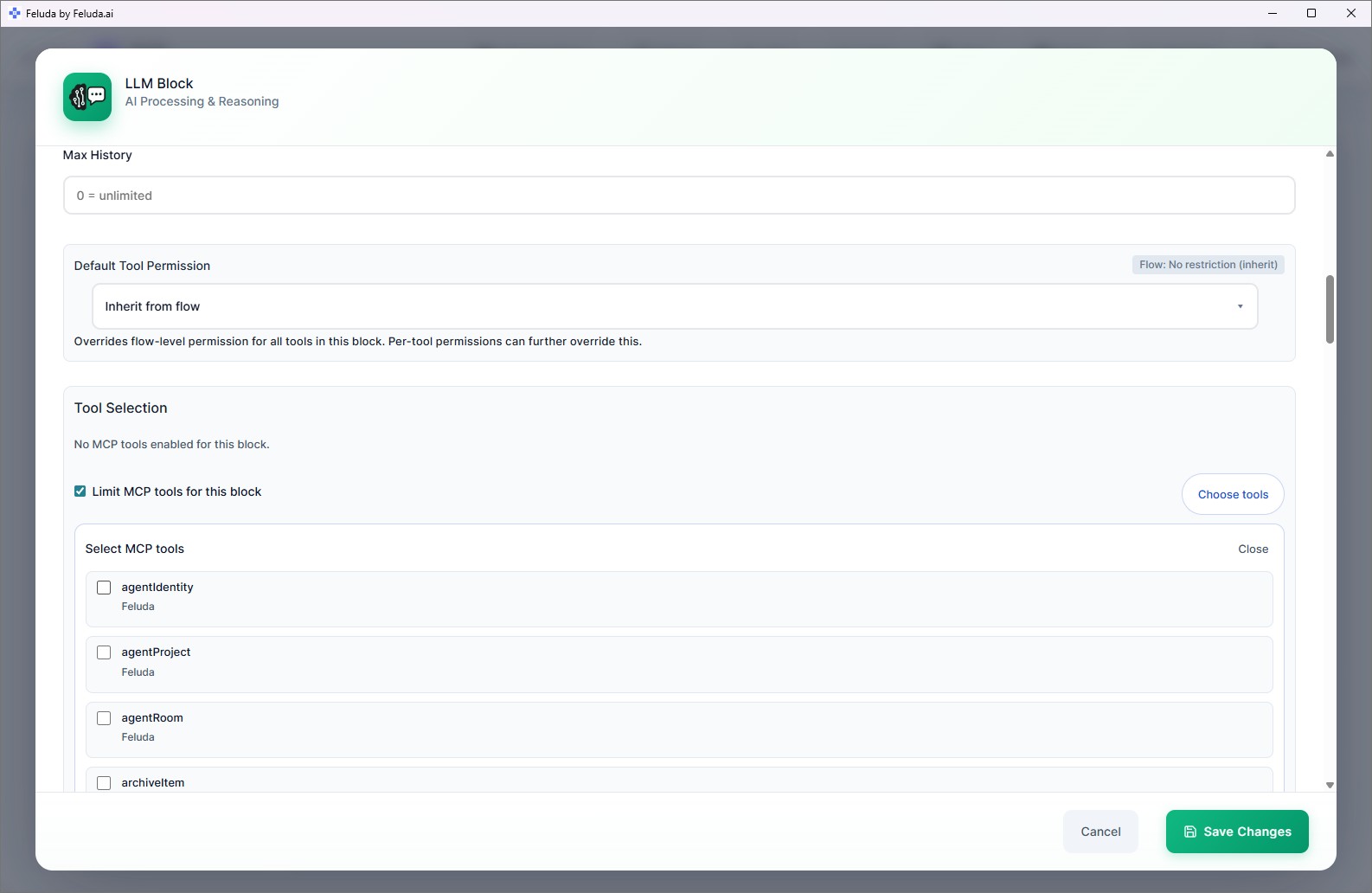
Place an LLM block on the canvas. This is your agent's reasoning engine — it will use the AI model you select to think, plan, and decide.
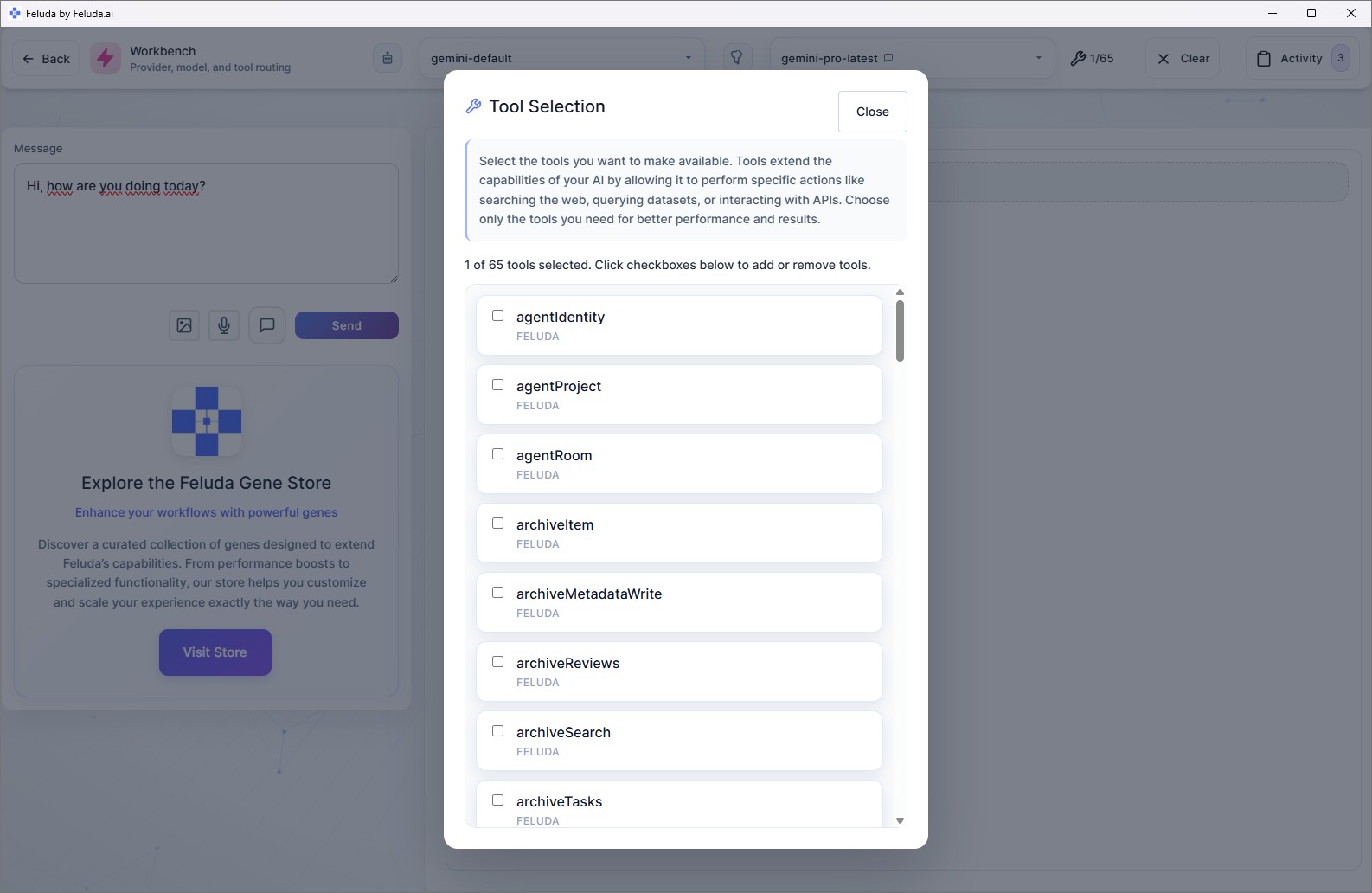
Open the tool selection panel and choose which tools the agent can call: web search, journal writer, port scanner, file system, domain lookup, or any tool from an installed Gene.
Tell the agent what it should do and how. Use plain language — no code. For example: "You are a security analyst. When given a list of IP addresses, scan each one for open ports and write a summary report to the journal."
Define the boundaries: which URLs it can reach, which file paths it can access, which ports it can scan. The agent operates autonomously within those limits — you stay in control.
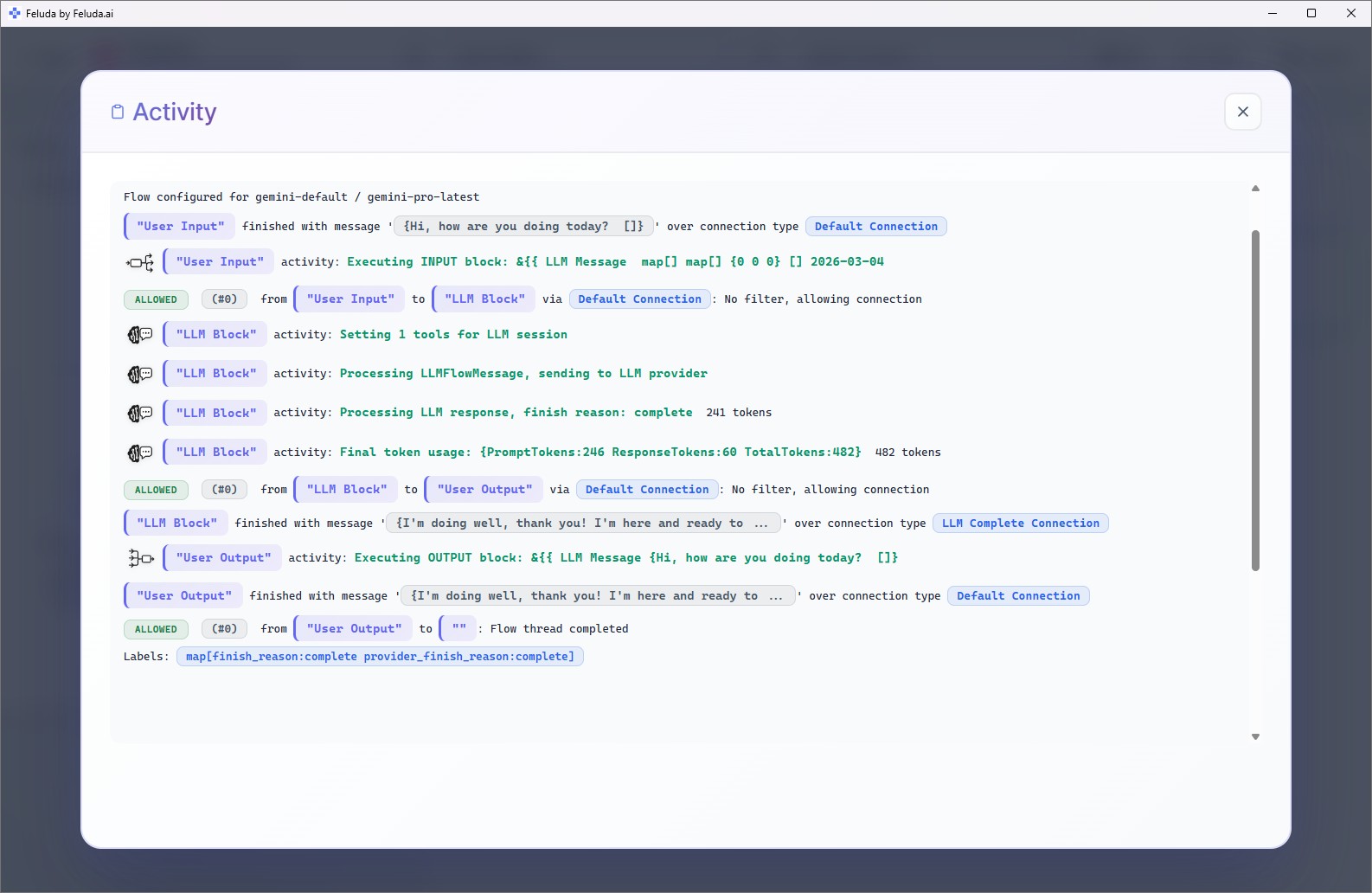
Execute the flow in RunFlows or through the interactive Workbench. The agent calls tools, reviews results, and continues reasoning — step by step — until the task is complete. Every tool call and result is logged.
What Feluda AI Agents Can Do
Feluda agents are not limited to text generation. With the right tools, they take real actions. Tools come from the built-in MCP server, installed Genes, and custom MCP servers (available on paid plans).
The agent looks up current information on the web, reads results, and incorporates them into its reasoning.
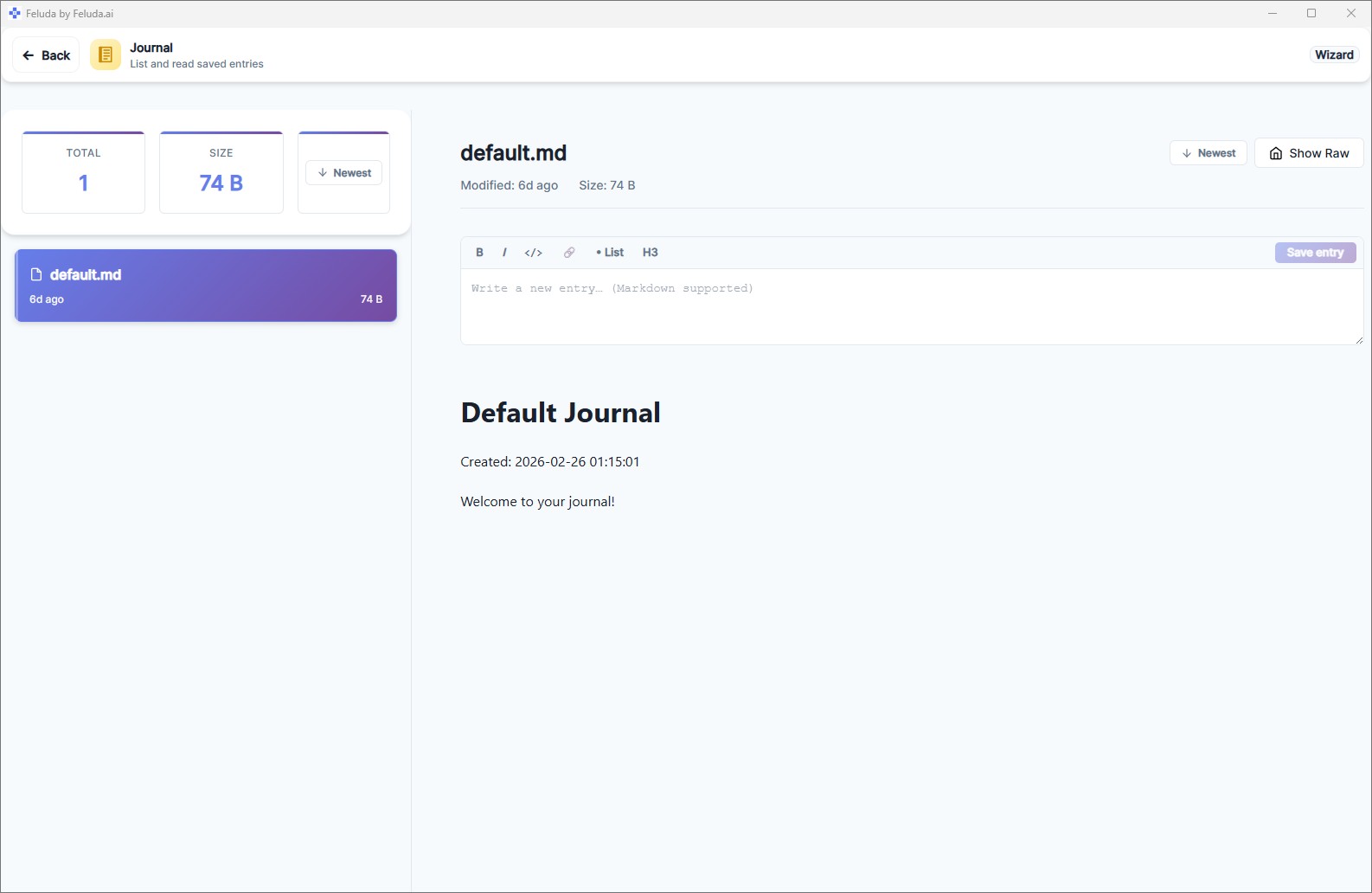
The agent writes findings, summaries, and reports to the offline Feluda Journal — which you review at your own pace.
The agent scans network targets for open ports, reviews the results, and produces structured intelligence reports.
The agent queries WHOIS, DNS records, and domain intelligence data to support security research and analysis.
The agent reads input files and writes output files — within the paths you permit — for document processing and data pipelines.
Install a Gene from the Gene store and its tools become immediately available to any agent in your flows.
How Automation and Agents Work Together in Feluda
The most powerful Feluda workflows combine both modes: a structured automation flow that contains one or more AI agents. The flow handles routing, error recovery, scheduling, and data passing. The agents handle the open-ended reasoning steps within that structure.
Example: automated weekly security report
The flow starts with the list of infrastructure targets to check this week.
The AI agent scans each target using its tools, cross-references domain records, and analyses what it finds — autonomously.
A second agent block summarises findings in plain language, classifies severity, and writes the report to the offline Journal.
The flow is scheduled to run every Monday at 7 AM. No manual intervention. Open the Journal to read this week's report.
The automation provides the cadence, the structure, and the error routing. The agents provide the intelligence. Together they produce something neither could achieve alone.
How Feluda Compares to Other AI Agent Frameworks
Developer frameworks like LangChain, AutoGen, and CrewAI are powerful — but they require you to write code. Feluda brings AI agent capabilities to everyone, with additional privacy and governance features built in.
| Feature | LangChain / AutoGen | Feluda |
|---|---|---|
| Build agent workflows | Write Python code | Visual drag-and-drop, no code |
| Tool use | Define tools in code | Select tools from a panel; install via Genes |
| Non-technical users | Not supported | Fully supported — core audience |
| Scheduling | Requires external setup (cron, Airflow) | Built-in Schedule Manager |
| Credential security | .env files or environment variables | OS-level encrypted vault |
| Audit log | Must implement manually | Every tool call and response logged automatically |
| Local models | Supported via code configuration | Supported via dropdown (Ollama, LM Studio) |
| Error routing | Try/except blocks in code | Typed error connections in the visual canvas |
| Privacy / local-first | Depends on implementation | Desktop-first, data stays on your machine |
Frequently Asked Questions
Is Feluda an AI agent platform or an automation platform?
Both. Feluda lets you build multi-step automation workflows visually (automation platform) and configure AI models to call tools and reason autonomously to complete tasks (AI agent platform). The two modes are complementary — agents operate as blocks inside automation flows.
What is an AI agent in Feluda?
An AI agent is an LLM block that has been given tools to call. The AI model reasons about a task, decides which tools to use, calls them, inspects results, and continues reasoning until the task is complete. You define the tools it can access and the boundaries it must stay within.
What is the difference between an AI agent and an automation workflow?
An automation workflow follows a fixed sequence of steps you define in advance. An AI agent operates dynamically — given a goal and tools, it decides what to do next at each step. In Feluda, agents run inside automation flows: the flow provides structure, the agent provides intelligence.
Can I build AI agents in Feluda without coding?
Yes. Add an LLM block in Studio, assign tools from the tool selection panel, write a system prompt in plain language, and run it. No code, no API library, no terminal needed.
What tools can Feluda AI agents use?
Built-in tools include web search, journal writing, port scanning, domain lookups, and file system access. Additional tools are available through installed Genes from the Gene store, or via custom MCP servers on paid plans.
How does Feluda control what an AI agent can do?
Feluda uses a tool permissions system — URL allowlists and denylists, IP address restrictions, file path boundaries, port restrictions, and parameter constraints. These can be set at the flow level or per individual block. The agent operates autonomously within the limits you define.
How is Feluda different from LangChain or AutoGen?
LangChain and AutoGen are developer frameworks that require Python code. Feluda is a desktop application with a visual no-code interface — non-technical users can build, run, and schedule AI agent workflows without programming. Feluda also adds OS-level encrypted credential storage, automatic audit logging, built-in scheduling, and a local-first privacy model.
Build Your First AI Agent Workflow
Download Feluda for free and create a workflow that uses both automation and AI agents — visually, in minutes, on your own machine.