
The actual problem
Account work breaks down when context gets scattered
Most Account Managers do not need another chatbot. They need a system that keeps hold of client reality. A meeting happens. Notes end up in one place. Follow-up sits in draft. Internal decisions stay in Slack or email. Product requests get mentioned once and then disappear. Renewal risk builds quietly. The work is not hard because the relationship is unclear. It is hard because the context keeps fragmenting across tools, threads, and time.
Feluda is built for that gap. It gives you a repeatable workflow on your own machine. In Feluda Workbench, you can review conversations and interrogate the details. In Feluda Studio, you can build a multi-step workflow that turns call notes into a summary, extracts commitments, drafts the follow-up, and highlights risks or growth signals. If your accounts involve sensitive commercial terms, Feluda supports local AI models so that client data never has to leave your machine.
What changes with Feluda
A working system for the role, not just a prompt box
Feluda fits Account Managers because the role is process-heavy, context-heavy, and sensitive to timing. You do not just need output. You need consistency. You need the previous meeting ready before the next one starts. You need the follow-up to reflect what was actually promised. You need a fast way to spot when a healthy account is starting to wobble.
The visual builder in Feluda Studio lets you design multi-step workflows without writing code. Connect an input block that takes your call notes, AI reasoning blocks that summarize and extract commitments, and an output block that delivers a structured recap. The repeatable workflow model is what makes this different from typing into a chat window after every call — you define the process once, and it runs identically every time.
Privacy for sensitive client data
Account work often includes pricing discussions, renewal terms, complaints, escalation notes, and internal commentary that teams do not want scattered across browser tools. Feluda runs locally on your machine and supports local AI models through providers like Ollama — so client data never has to leave your environment. API keys and credentials are encrypted in your operating system's secure vault, not stored in plain-text config files. For teams that need organisational policies, Feluda Enterprise adds governance controls.
What it looks like
Build the workflow in Studio, verify in Workbench, run on demand or schedule
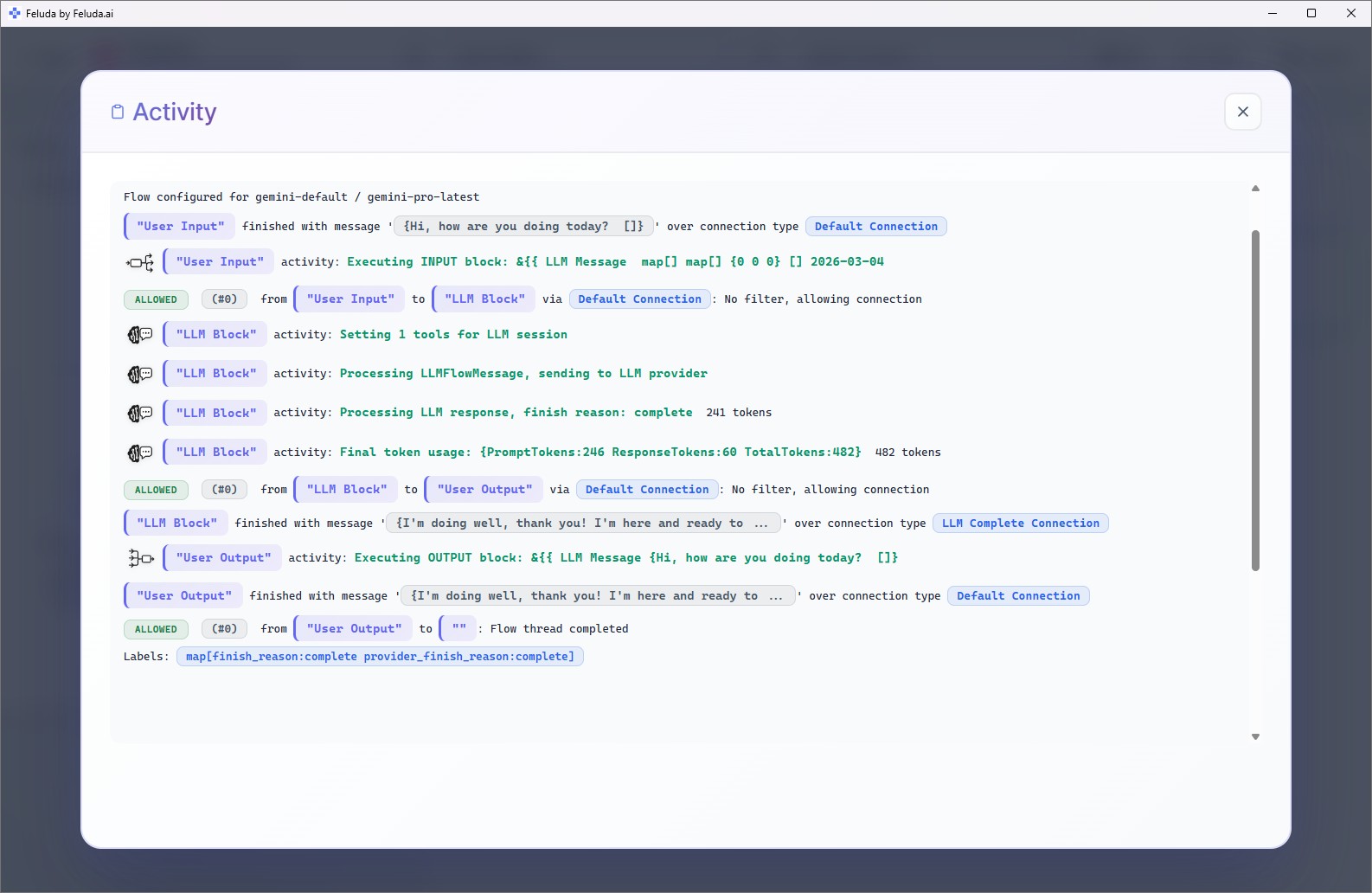
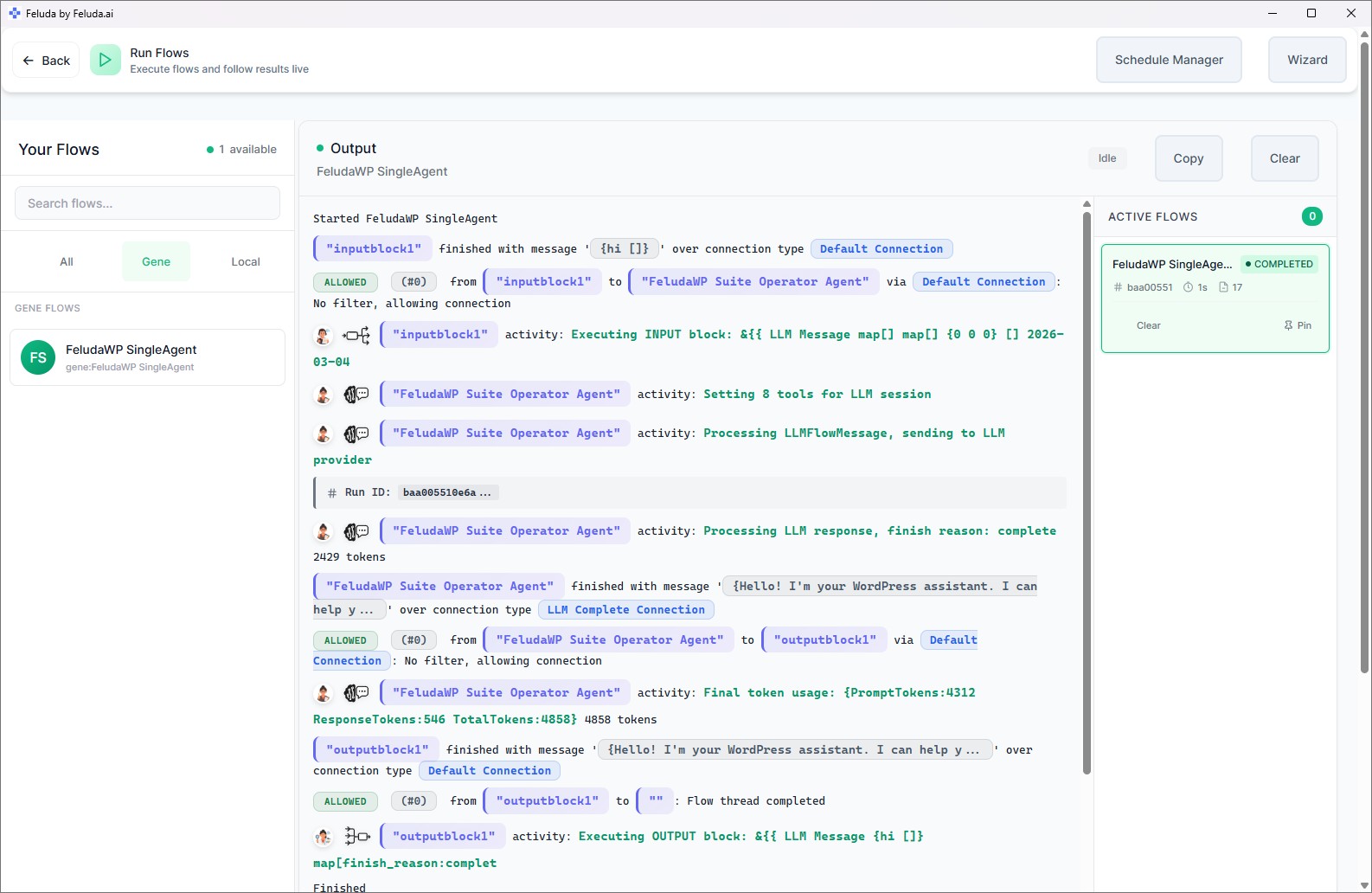
The process is straightforward. In Studio, you connect blocks on a canvas: an input block for your call notes, one or more AI reasoning blocks that summarize, extract commitments, and flag signals, and an output block that delivers the result. Test it in Workbench to make sure the recap is useful. Then run the flow on demand after each call, or schedule it to run automatically — the Schedule Manager lets you set daily, weekly, or custom cadences.

A realistic use case
Post-call recap and follow-up that writes itself
Instead of spending twenty minutes after every client call writing up notes and drafting a follow-up email, build a Feluda flow that does the assembly. Feed it the call notes or transcript. The flow summarizes what happened, extracts every decision, commitment, and open question, drafts a client-facing recap email, and flags anything that looks like churn risk or expansion potential. The output lands in your Journal — a searchable record you can revisit before the next meeting or forward to the internal team.
Bring in the source
Start with call notes, transcript text, support updates, or recent account history from the past period.
Structure the outcome
The AI produces a summary with decisions, risks, owners, deadlines, and open questions — in a consistent format every time.
Draft the follow-up
Generate a client-facing recap email that reflects the actual conversation and every promised action — ready to review and send.
Surface account signals
Highlight recurring requests, unresolved complaints, sentiment shifts, or timing clues that need escalation or commercial follow-up before they go cold.
Questions before adoption
What Account Managers usually want to know
Do I need technical skills to use it?
No. Feluda Studio is a visual workflow builder — you connect blocks on a canvas to define the sequence of steps. If you understand what output you need from your call notes, you can build the workflow yourself. Feluda Academy walks through setup step by step, from adding your first AI provider to running your first flow.
Will this replace the CRM?
No. Feluda does not store your accounts or manage your pipeline. It is the workflow layer around the CRM — it helps you prepare for calls by assembling recent context, summarize what happened, draft the follow-up, and surface risk or expansion signals. Your CRM, support tickets, and spreadsheets stay exactly where they are.
Can it help with renewals and expansion?
Yes. Build a flow that looks across multiple conversations to surface repeated requests, product gaps, unresolved complaints, and sentiment changes. Over time, this creates a clear pattern view that helps you prepare for renewal conversations and spot upsell timing before it goes cold. You can schedule the flow to run automatically before each review cycle.
What if the team handles sensitive account information?
That is exactly where desktop-first deployment matters. Feluda runs locally on your machine. You can use local AI models so that client data — pricing, renewal terms, complaints — never leaves your environment. Credentials are encrypted in your operating system's keychain, not in config files. For company-wide controls and governance, see Feluda Enterprise.
Build account workflows that hold onto context
Use Feluda to turn each client conversation into a structured summary, a sharper follow-up, and a clearer view of what the account needs next — running locally so client data stays on your machine.