
What Are Secrets?
Secrets are sensitive values — API keys, tokens, passwords, credentials — that your flows or tools might need at runtime. Instead of hardcoding these values (which is insecure), Feluda stores them in your operating system's encrypted credential vault:
- Windows — Windows Credential Manager
- macOS — macOS Keychain
- Linux — libsecret (GNOME Keyring / KDE Wallet)
This means your secrets are encrypted at rest, never leave your machine, and are never exposed to AI models.
Add and Manage Secrets
Open the Secrets page
Click Secrets in the sidebar. The left panel lists all installed Genes that require credentials, with a fill-status indicator (e.g. "2/3 configured").
Select a Gene and enter the value
Click a Gene in the list. The right panel shows the credential fields it requires. Type or paste the value and click Save.
Verify and manage
A status indicator confirms the save. Use the show/hide toggle to reveal values, or Clear to remove a credential.
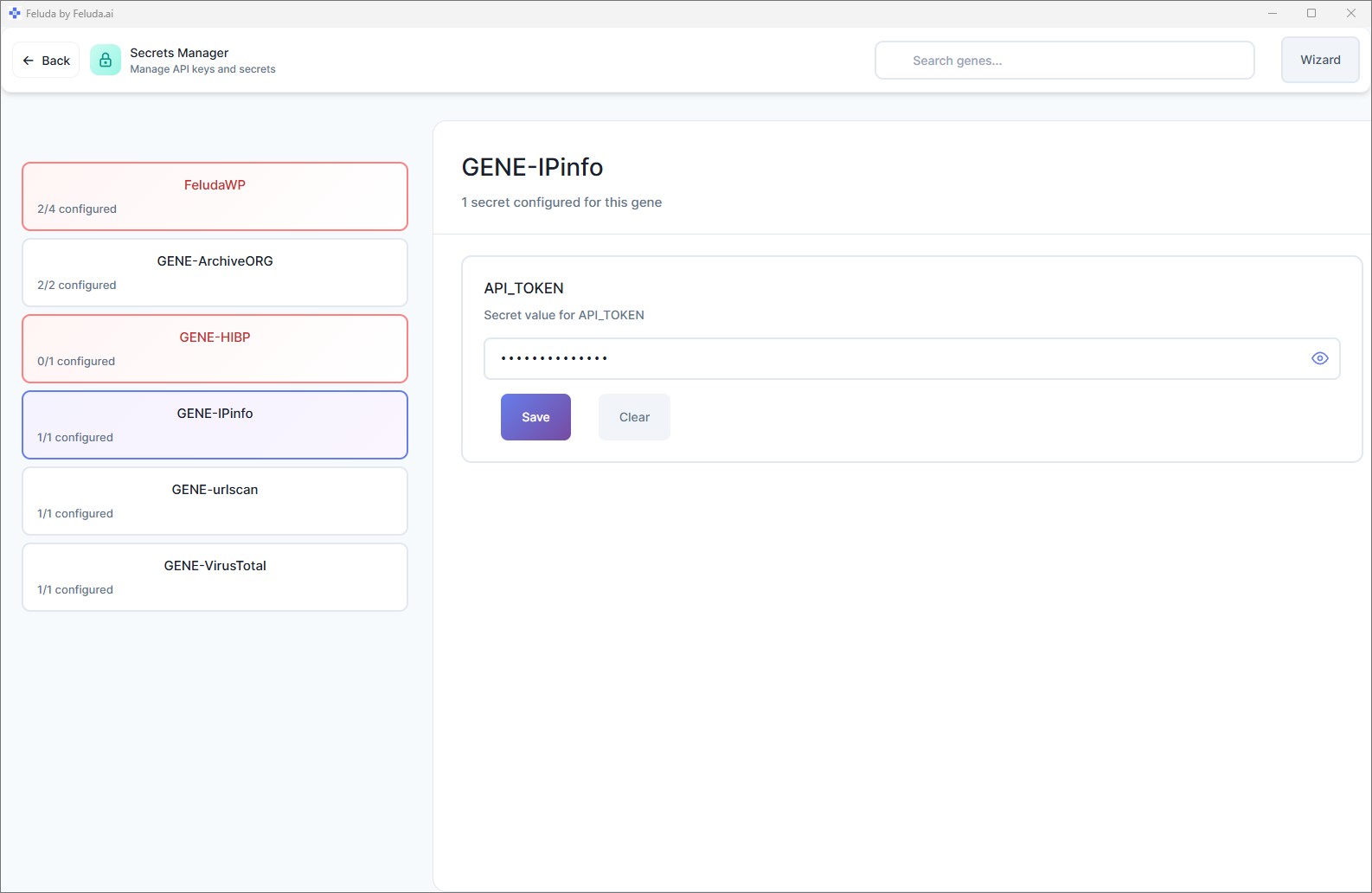
Always set secrets before running flows that need external services. If a tool requires a credential that has not been set, the tool will fail during execution. The Secrets page shows you exactly which credentials are missing.
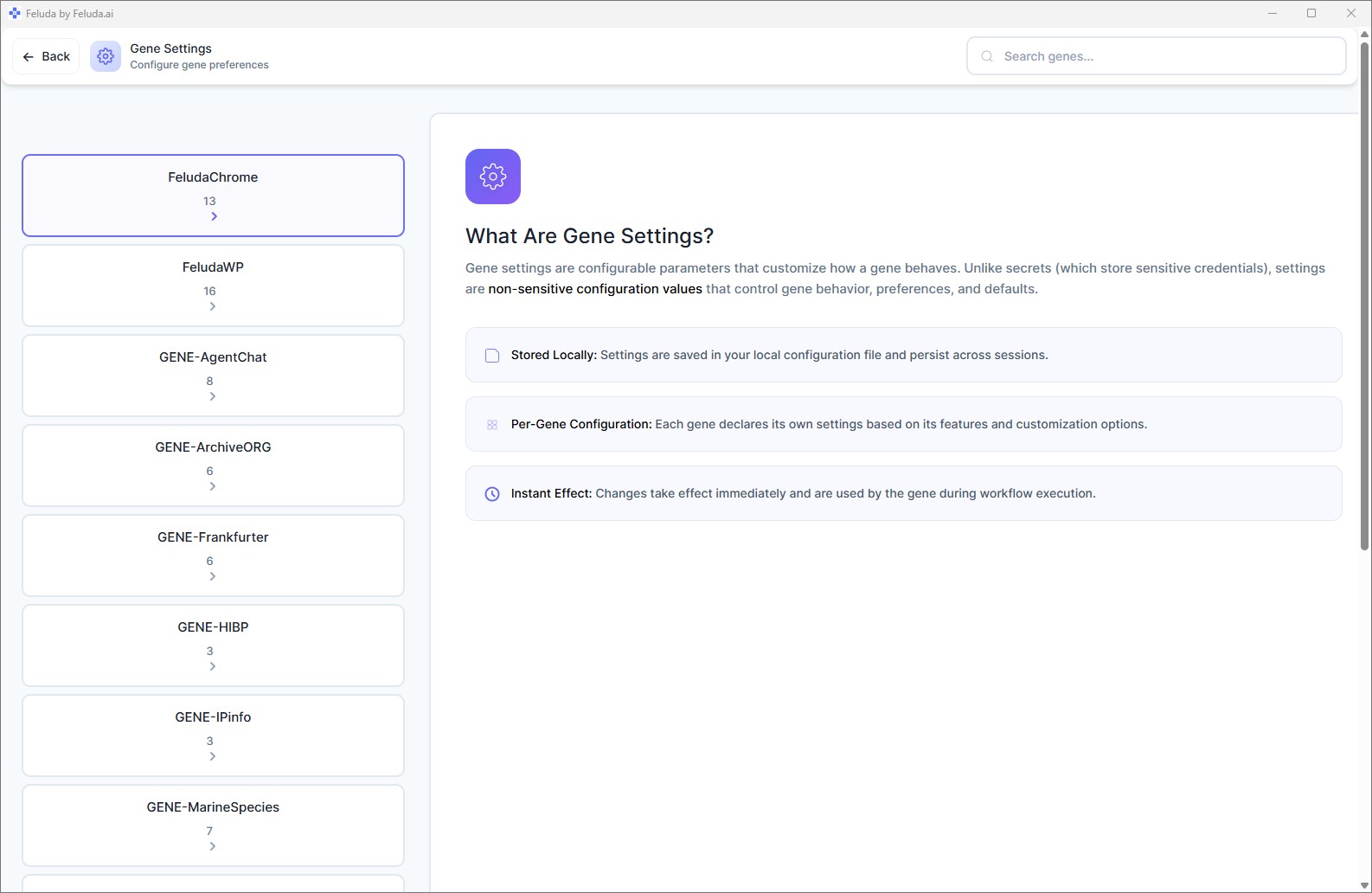
Secrets vs. Settings
It is easy to confuse Secrets with Settings. Here is the difference:
| Secrets | Settings | |
|---|---|---|
| Contains | API keys, passwords, tokens | Names, numbers, toggles, preferences |
| Storage | OS encrypted vault | Application config files |
| Visible to AI? | Never | Yes (passed as context when needed) |
| Page | Secrets | Gene Settings |
Rule of thumb: if you would not paste the value into a public chat, it belongs in Secrets. Everything else goes in Settings.
How Secrets Work at Runtime
When a flow runs and a tool needs a secret (for example, an API key to call an external service):
- The tool requests the secret by name.
- Feluda retrieves it from the OS vault.
- Feluda injects it into the tool call at the last possible moment.
- The AI model never sees the secret value — it only knows the tool succeeded or failed.
This "pre-flight injection" model ensures your credentials stay safe even if you are using a third-party AI provider.
Frequently Asked Questions
Where does Feluda store my API keys?
In your operating system's built-in encrypted credential vault: Windows Credential Manager, macOS Keychain, or Linux keyring (libsecret). Secrets are never stored in plain-text files.
Can AI models see my API keys?
No. Feluda injects secrets directly into tool calls at runtime. The AI model never receives the raw credential value.
What is the difference between Secrets and Settings?
Secrets store sensitive values (API keys, passwords) in an encrypted vault and are invisible to AI. Settings store non-sensitive preferences in config files and can be passed as context when needed.
Are my secrets uploaded to Feluda's servers?
No. Secrets live only on your local machine. They are never uploaded anywhere.
Next: Expand Your Capabilities
With providers configured and secrets stored, you are ready for more power. Continue to learn about installing Genes — Feluda's plugin system.